Main Content

Computer Monitor Buying Guide: Everything You Need to Know

Monitors have come a long way in recent years. This comprehensive guide teaches you all you need to know.
Getting Started
Picking the best monitor for your computer can be confusing. The least expensive option might be the right choice for you. But it's still helpful to understand your options and what separates a $100 monitor from a $1,000 one. It's a common misconception that computers and their peripherals are obsolete a few years after you buy them.
On the contrary, desktop monitors can often last 10, even 20 years! So it makes sense to take time researching the different types of monitors. Invest in one that you'll be happy with for the long run. If you have questions or can't find a model you're interested in, our knowledgeable sales staff is always more than happy to help. You can reach them via chat or at 800-860-3577.
Quick Recommendations:
Average Users
- Get a 24" or 27" IPS monitor with built-in speakers.
- Make sure your computer has an HDMI-Out port.
- If you're thinking about two screens, consider an Ultrawide Monitor.
Content Creators and Professionals
- Get a VA or IPS screen. If money is no option, splurge on an OLED screen.
- Get two monitors, at least 24" 1080p
- A single 34" 3440 x 1440 monitor would be even better.
Gamers
Are you super competitive and playing on a powerful computer?
- Get a 27" 1440p 144Hz TN monitor.
- If you already have a desktop monitor, maybe save a few dollars and go with a 24" model. Then use your existing monitor as a second screen.
- If you have an AMD graphics card get a FreeSync capable screen.
- NVIDIA users, look for a G-SYNC Compatible monitor. These are FreeSync monitors tested to successfully work with NVIDIA cards.
- If money isn't an issue, shop for monitors offering G-SYNC ULTIMATE.
Casual Gamers
- Get an IPS panel.
- Prioritize resolution over refresh rate and response time.
Monitor Sizes
The first thing you'll need to figure out is what screen size suits your needs. Most computer monitors range from 19 to 34 inches, measured diagonally from corner to corner. The average user will be happy with 22-24" screens. This range provides enough screen real estate for general productivity tasks and even light multitasking without overcrowding your desktop.
A 27" monitor offers 25% more space than a 24" monitor. The extra space can be incredibly helpful for photo/video editing, gaming, multitasking, and readability. The largest monitors make multitasking even easier and can be a good alternative to dual monitor setups.
Be aware, prices rise dramatically for monitors larger than 27 inches. So, if you're interested in a larger screen, consider using a television instead to save some money. Just be aware that TVs typically provide fewer input options. They also offer limited refresh rates, higher input lag, and less accurate color representation (all of which will be discussed in detail below).
While these limitations make TVs a poor choice for color-sensitive work and competitive gaming, most people won't notice the difference. If you only use your computer to browse the web, work with documents/spreadsheets, and watch videos, using a TV instead of a monitor is a great way to inexpensively maximize screen real estate.
Computer Monitor Resolution
A screen's resolution is a measurement of the amount of information it can display. Resolution is measured in pixels, the tiny squares of light that work together to form the image on a screen.
Think of screens like a piece of graphing paper. Each pixel is a square on the graphing paper. The smaller the squares (pixels) are, the more of them you can fit on the page (screen). The more pixels you have, the more detailed an image you can create.
Two monitors with the same resolution will be able to display the same amount of content, regardless of their size. The larger monitor will just have larger pixels but will be limited to the same level of detail.
1080p (aka Full HD)
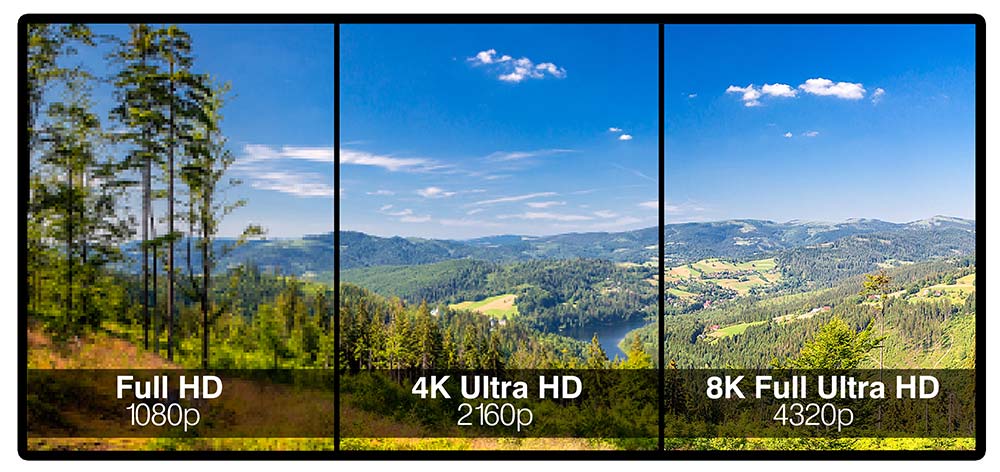
A monitor's resolution is usually listed as its length x height in pixels. 1920 x 1080 is the most common resolution these days. This resolution is also referred to as Full HD or 1080p. It's perfect for the typical computer user, providing enough room to comfortably browse websites or compare documents side-by-side. 1920 x 1080 is also the standard resolution for most broadcast and streaming TV shows.
If you want a higher resolution you'll likely be choose between 1440p or 4K. These resolutions also go by a variety of names which can get confusing.
1440p (aka 2K, Quad HD, WQHD, QHD)
1440p refers to a resolution with 2560 x 1440 pixels. These screens offer a little less than twice the detail of 1080p. Multitaskers will love the ability to keep more windows in view on a 1440p screen. Content creators/editors will love the extra detail the screen provides.
Just be aware that higher resolutions require more of your computer. Web browsing, streaming, and standard office work won't be very taxing. But editing high-resolution pictures and videos or playing games at a higher resolution will likely require a computer with a powerful graphics card and/or processor.
4K (aka UHD, Ultra HD, 2160p, 4K UHD)
4K refers to a resolution with 3840 x 2160 pixels. These screens offer four times the detail of 1080p. Media editing and gaming on 4K monitors will require an even more powerful graphics card. However, given the lifespan of a monitor compared to that of a computer, it can make sense to splurge on a screen.
You can always turn down the resolution of a monitor, (from 4K to 1440p for example) if your computer struggles to keep up. But no upgrades or adjustments will let a 1440p monitor display 4K worth of pixels. There are also 5K, 8K, even 16K screens but such resolutions are significantly less common and more expensive.
Monitor Connection Types/Monitor Ports
There are a number of different cables you can use to connect a monitor to a computer. It's important to make sure your new monitor has ports that are compatible with those on your computer. While you can always get an adapter to make different connection types communicate, you shouldn't need one. Taking a moment to understand the different connection types will also simplify the process of setting up your monitor.
HDMI
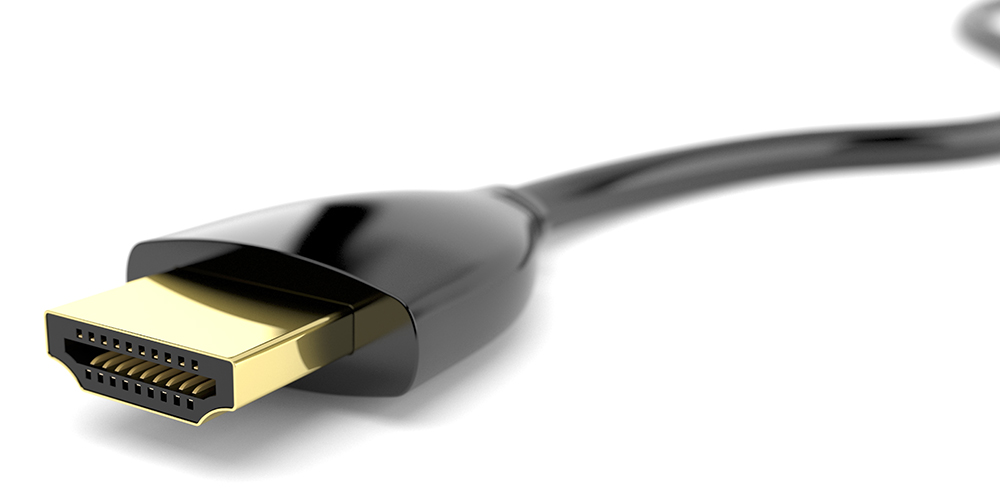
Most monitors today connect to your computer via an HDMI port, which is the same port you'll find on the back of your HDTV. HDMI carries both audio and video signals through a single cable. Virtually all HDMI ports and cables retain the same size and shape.
But there are a few differences you should be aware of, especially if you're considering high resolutions or refresh rates. (Technically, there are HDMI types A-E. But anything other than HDMI type A is so rare, especially on a monitor, that they're irrelevant in this discussion.)
The ports on a new monitor should be capable of supporting the monitor's maximum resolution and refresh rate. Your computer, on the other hand, might not be as up to date. Even so, all versions of HDMI support 1080p at 60 Hz, the standard resolution and refresh rate for most monitors. HDMI 2.0 works with 1440p resolutions up to 144 Hz and 4K resolutions up to 60 Hz. The newest version, HDMI 2.1, can transfer enough data to support 4K displays at 144 Hz. These numbers are based on 8-bit color depth (discussed below).
DisplayPort and Mini DisplayPort
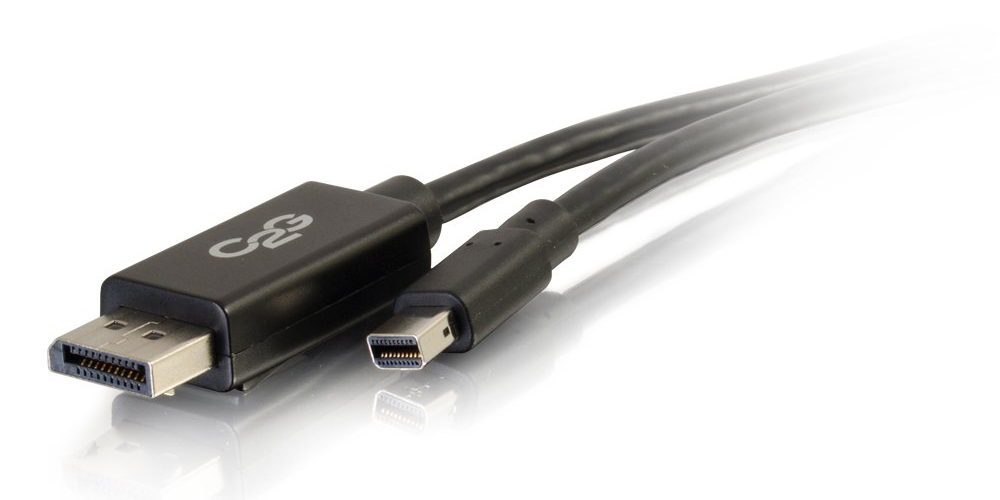
DisplayPort (DP) and Mini DisplayPort (mDP) both use the same, newer data transfer interface. The only real difference between the two is the size of their port. Much like HDMI, DisplayPort carries both video and audio over a single cable. And, like HDMI, there are a few versions of DisplayPort, with varying throughput.
DisplayPort 1.2 works up to 60 Hz for 4K screens. DisplayPort 1.3 doubles that, offering 120 Hz for 4K and 30 Hz for 8K! The most current version, DisplayPort 1.4, doubles throughput again, providing 8K media at 60 Hz with HDR (discussed below). Lastly, DisplayPort 2.0 makes 4K 144 Hz HDR gaming possible and will be able to show 16K media at 60 Hz. These numbers are again based on 8-bit color depth.
You can already buy desktop monitors capable of 4K at 144Hz. But even powerful computers will struggle to game or edit photos/videos at such high resolutions and refresh rates.
USB-C
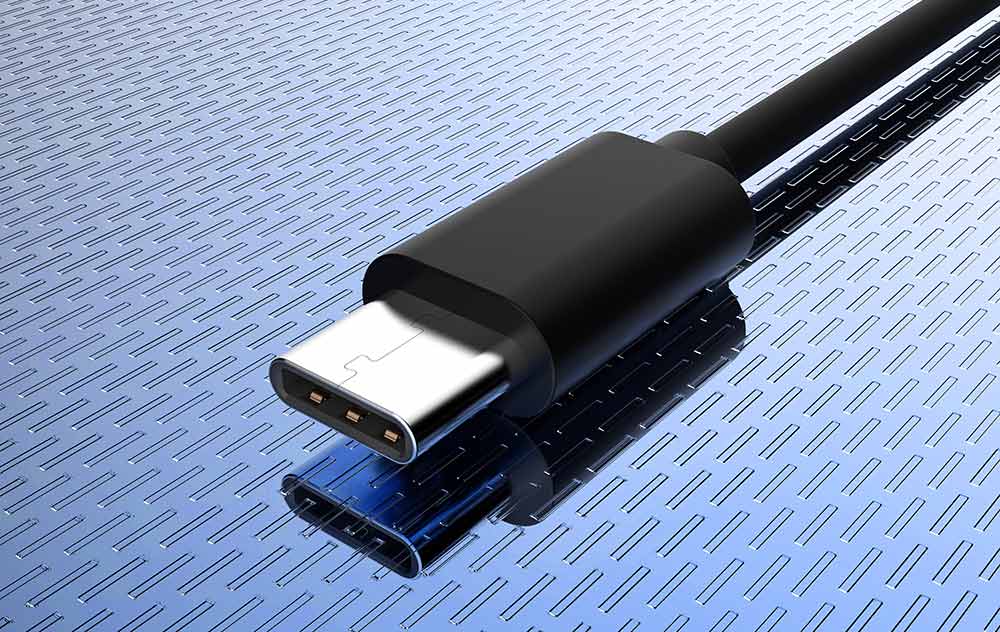
The newest port you might find on a monitor is a USB-C port. Whereas both HDMI and DisplayPort are physical ports and interfaces for transferring information, USB-C is just a physical port. Depending on the device, the USB-C port might use DisplayPort 1.4, HDMI 2.0a (with an adapter), Thunderbolt 3, or USB 3.1 interfaces. USB-C offers the ability to transfer data and power via a single connection. Because of this, it's been used as the power cable for Android phones and Apple computers for years now. In the not too distant future, monitors and electronics in general will likely begin using USB-C as a universal connection.
Thunderbolt
Just the opposite of USB-C, Thunderbolt is an interface for transferring information that uses existing physical ports. The physical port used by Thunderbolt 1 and 2 was a mini DisplayPort, found mostly on Apple products. Thunderbolt 3 uses the USB-C port and is capable of transferring an incredible amount of data.
Technically, it can handle 4K displays at 144 Hz with 10-bit color depth. However, curiously, none of the 4K 144Hz screens currently on the market use the USB-C port or Thunderbolt 3 interface, relying instead on DisplayPort.
VGA Cable
VGA (Video Graphics Array) and DVI (Digital Visual Interface)
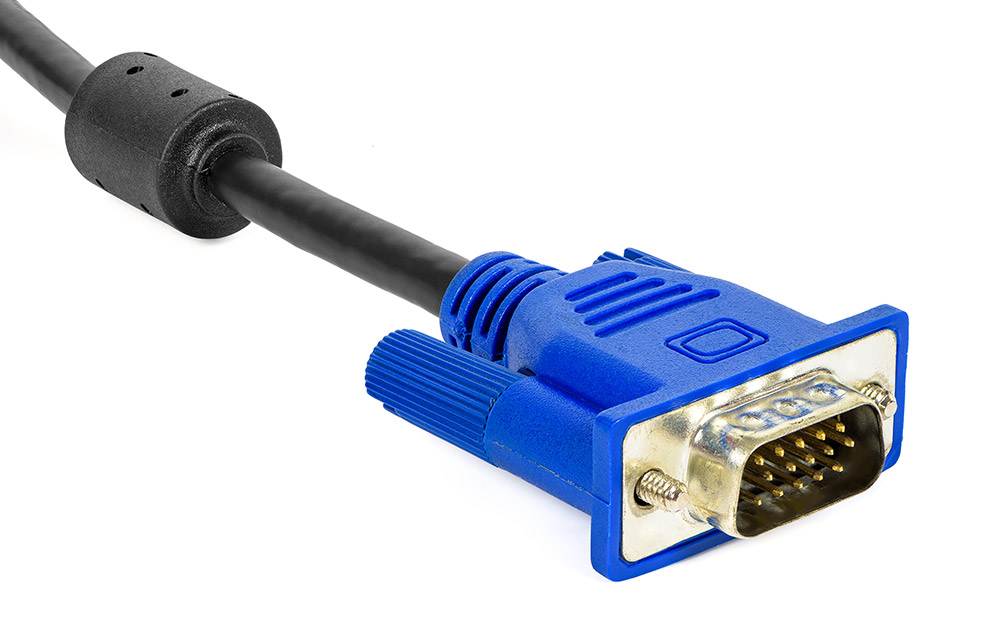
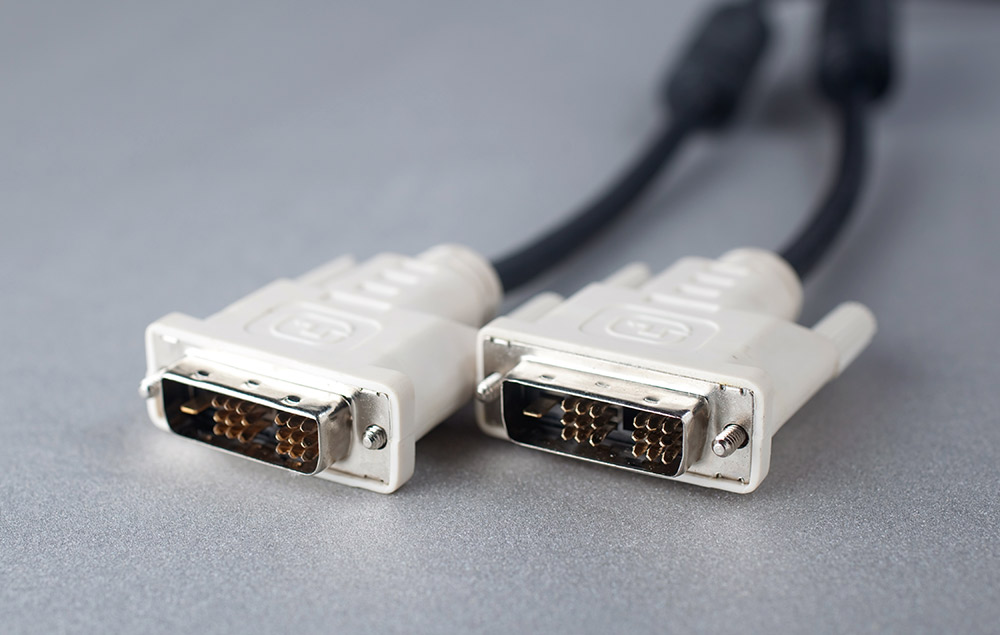
If you're using an older computer, you may need a monitor with either a VGA or DVI input. These inputs were standard on computers for many years but have since been replaced with newer options. While no longer common, many monitors can still be found with DVI and VGA connectivity.
DVI Cable
Unlike the connection types listed above, each of these connections is only capable of transferring video data. You'll need a second cable for audio, the standard 3.5mm audio cable used by most headphones.
To be safe, check your computer and confirm what type of video outputs it has before shopping for a new monitor. If you're planning on using multiple monitors, make sure you have a compatible video output for each monitor.
It's also important to remember that if your computer has a dedicated graphics card, you should ignore any video outputs from the motherboard. The ports on the motherboard are often disabled when a video card is installed on a computer. Even if the ports aren't disabled, using them forces your computer's processor to render video instead of the more powerful video card. The video card ports will be grouped together and separate from other ports on the computer such as USB and audio ports.
Aspect Ratio
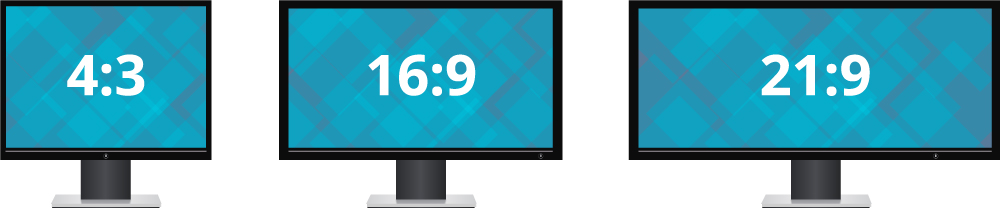
A monitor's aspect ratio details the relationship between its width and height. Early cathode ray tube (CRT) monitors and TVs had an aspect ratio of 4:3. This means that for every four inches in width, the screens had three inches of height. As widescreen TVs and high definition content grew in popularity, so did widescreen computer monitors. As a result, most computer monitors use a 16:9 aspect ratio (almost twice as wide as they are tall), the same as an HDTV.
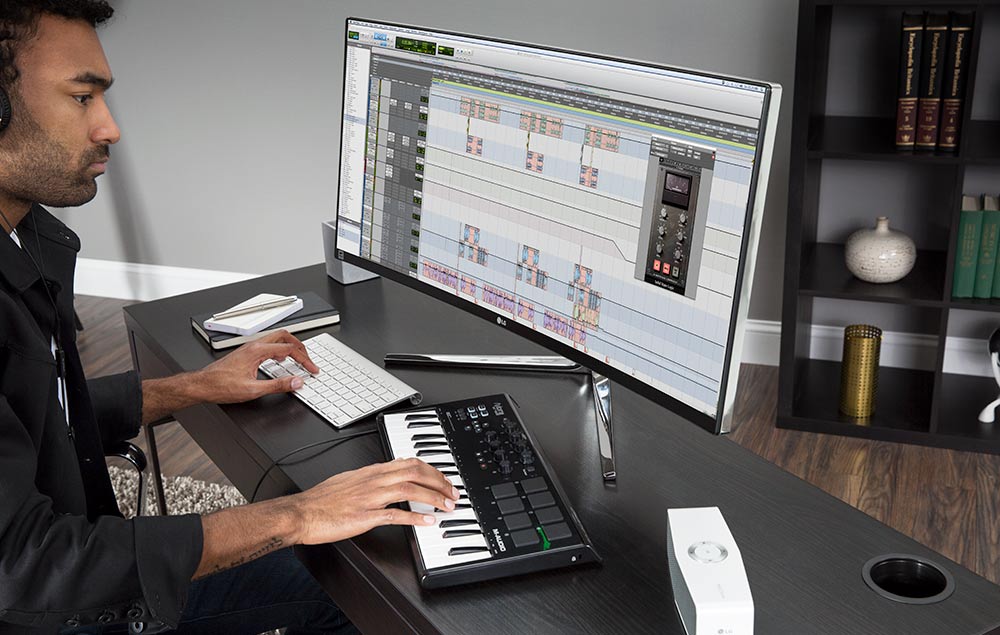
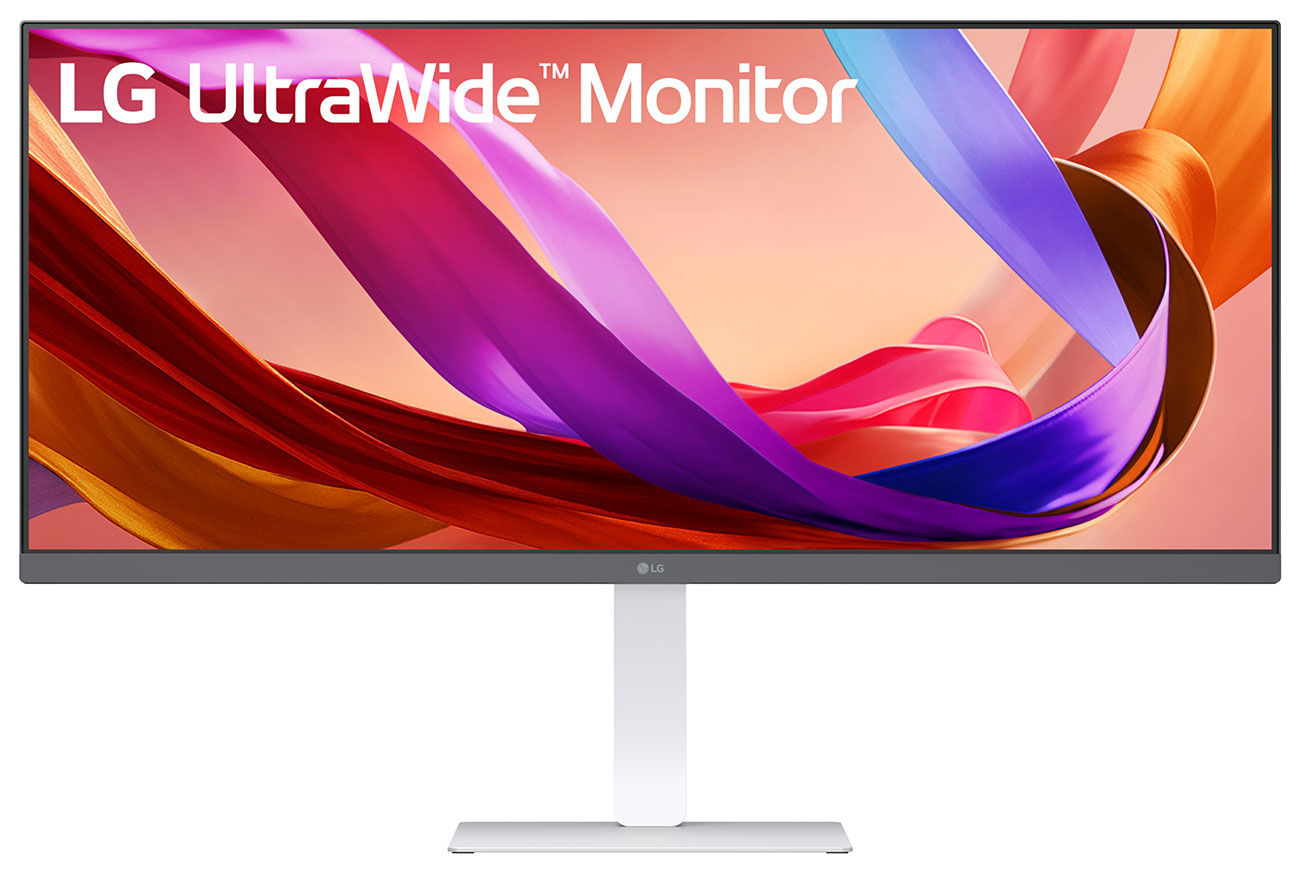
Ultrawide monitors, those with an aspect ratio of 21:9, are becoming a popular option both for productivity and entertainment. Ultrawides are about 33% wider than a normal monitor and offer a good alternative to a two-monitor setup. Instead of two screens separated by bezels, they provide a single, continuous desktop.
This allows you to organize windows in a variety of new ways that keeps more information accessible at any given time. Gamers love them for similar reasons, getting to fill a large portion of their field of view with exciting game worlds.
Gamers and Artists Only Past This Point
Most users should be able to make an informed decision with just the information above. The guide briefly touches on built-in speakers and webcams in the Other Things to Consider selection at the bottom. This info may be useful to casual users but is by no means required reading.
If you're a gamer or an artist searching and want to know about every detail that can make a difference, keep reading.
Monitor Panel Types
The screen or display of a computer monitor is referred to as a panel. Most computer panels use one of three LCD technologies to create an image. These three technologies are Twisted Nematic (TN), In-Plane Switching (IPS), and Vertical Alignment (VA) panels. Each offers a distinct set of benefits and drawbacks.
While it might be a little confusing, TN, IPS and VA panels are both LCD and LED monitor. LCD (Liquid Crystal Displays) is the broadest term, referring to how the screen image is created. LED (Light Emitting Diode) screens provide light to the screen with LEDs as opposed to older technology that used CCFLs (cold cathode fluorescent lamps). TN, IPS, and VA technologies refer to the way the LCD creates an image.
Organic Light-Emitting Diode (OLED) panels, on the other hand, are neither LED monitors or LCD monitors. They use new technology to create both the light and image for their screens and have started to show up in the monitor market. However, the technology is more commonly used for TVs and smartphones.
TN Panels - Fast, Inexpensive, Ok Color and Viewing Angles
A TN panel prioritizes speed over everything else, offering fast response times and refresh rates but lesser color accuracy and viewing angles. This makes them a great choice for competitive games and leads them to be overlooked by those in need dependable colors. TN panels are also the least expensive option, making them a good choice for shoppers on a budget.
Additionally, IPS glow and backlight bleeding steer some folks away from IPS panels. These defects can cause the corners or edges of the screen to appear slightly lighter. Most people won't notice or be bothered by these imperfections though. We suggest a monitor with an IPS panel for most customers.
VA Panels - Great Contrast, Color, and Refresh Rate, Low Response Times
VA panels combine incredible levels of contrast with solid color reproduction and exceptional refresh rates, but they suffer from low response times. The excellent contrast ratios of a VA panel allow it to create deep levels of black. This impressive contrast leads many to argue that VA panels offer the highest picture quality of the three primary types of computer monitors.
However, poor viewing angles can cause colors to "shift," appearing less accurate. While many people, myself included, aren't bothered by color shift, others avoid VA panels because of it.
OLED Panels - Amazing All Around but Very Expensive
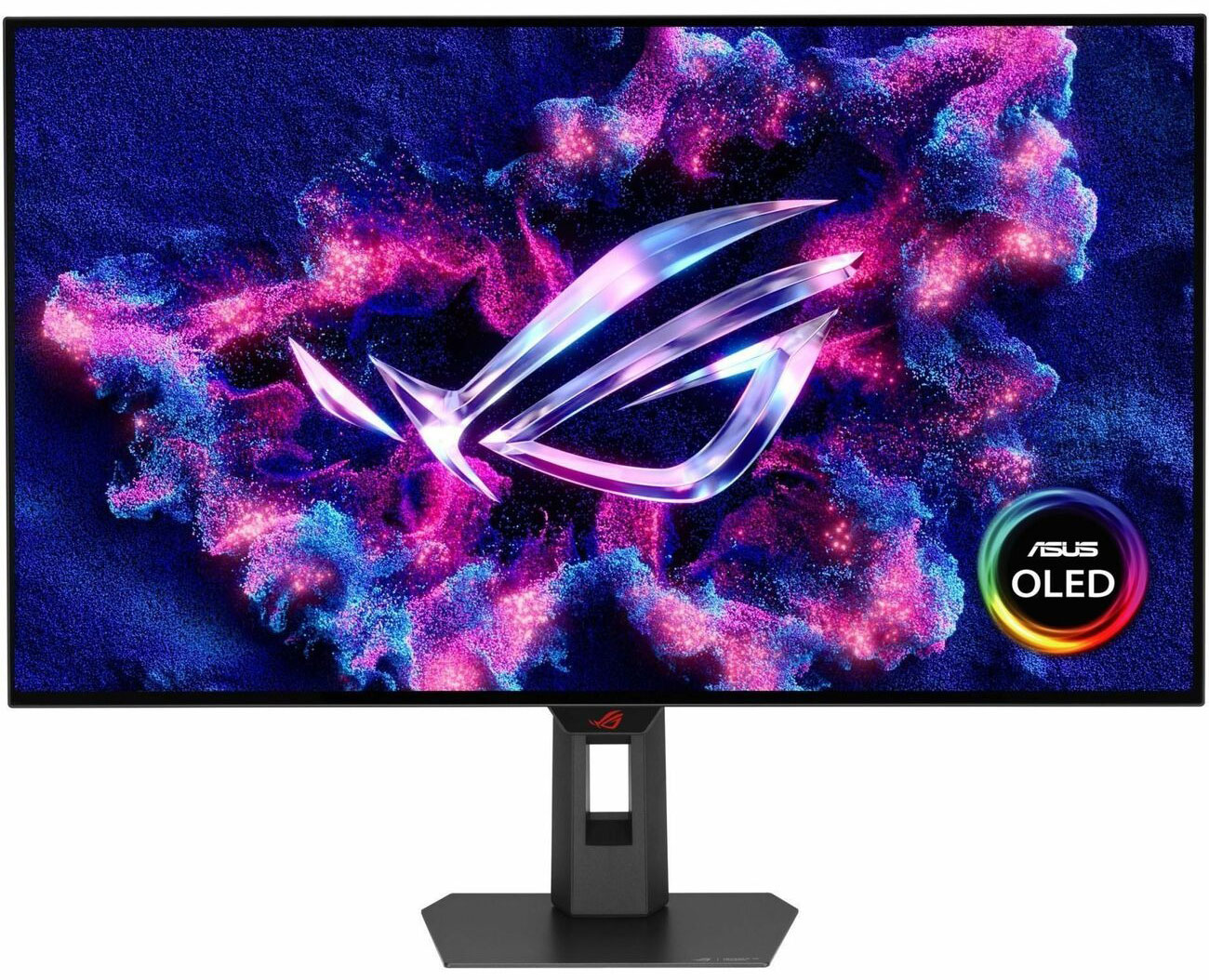
Although OLED monitors are still prohibitively expensive for most consumers, they offer incredible contrast ratios, color reproduction, and response times. Instead of using LED backlights to illuminate the screen, OLED monitors are capable of lighting each pixel individually. This gives them the ability to create incredible levels of black, simply by turning off specific pixels. As a result, these screens can offer up truly remarkable picture quality unmatched by these other technologies.
However, these screens do have a higher potential for burn-in, an issue that can leave a trace of an image on the screen, potentially forever. This only occurs if an image, or part of an image, stays on the screen for an extended period of time. Menus or taskbars that are always present on your screen are prime candidates for burn-in. But if you're aware of this issue, you can avoid it without much difficulty.
The descriptions above are general characteristics of the different technologies. But there can be a wide variation in quality between entry-level and top of the line models for these technologies. As an example, sophisticated TN panels often provide colors that rival both IPS and VA panels. Price is usually a good indication of quality, but it's also a good idea to double-check reviews for specific models.

Color Bit Depth
You may have heard of HDR (High Dynamic Range) in reference to televisions in the last few years. An HDR-capable computer monitor or TV is able to display more colors because of its higher color bit depth. Although there are a variety of HDR technologies (HDR10, HDR10+, HLG, Dolby Vision…), most of them provide a similar 10-bit color depth. Dolby Vision is the exception, using 12-bits.
Each additional bit doubles the number of shades a monitor can produce of each primary color. So while a monitor offering 10-bit color can produce about a billion colors (1,024 shades of red x 1,024 shades of blue x 1,024 shades of yellow = 1,073,741,824 colors), 12-bit monitors have more than 68 billion colors to work with.
Even professionals working extensively in color-sensitive media editing will likely find 10-bit monitors more than sufficient. Most people will struggle to even differentiate between 10 and 12-bit sources. And while the more bits the better, 8-bit or even 6-bit color is plenty for most people.
Refresh Rate
Digital screens, like films, work by rapidly displaying a series of still images, one after the other, often giving the illusion of movement. The number of images a screen can display in one second is called its refresh rate and is measured in Hertz (Hz). Screens typically offer between 30 Hz and 244 Hz. High refresh rates offer a smoother visual experience, especially important for gamers, but noticeable when watching sports or movies with lots of movement.
The more images a screen produces every second, the smaller the jump from one image to the next. And because higher refresh rates have more images per second with smaller gaps between them, they provide a more natural experience.
Most screens offer 60 Hz which should be plenty for non-gamers. Competitive gamers will want to look for screens with a high refresh rate. Shoot for at least 75 Hz, ideally 144 Hz or higher for the extra edge in battle.
If you're looking to buy your first gaming monitor, consider prioritizing resolution over refresh rates. Just remember that higher resolutions and refresh rates each require a ton of processing power. Your computer will likely be able to run at a higher resolution OR a higher frame rate, probably not both.
Higher resolutions are immediately noticeable. It takes a bit of time to notice the benefits of higher refresh rates, but once you notice, it's frustrating to go back to 60 Hz. If you don't know what your missing, the added detail of a 1440p or 4K screen might be more immediately enjoyable. And of course, if money is no object, spring for the highest resolution AND refresh rate, then upgrade your computer to manage the load.
Response Time/Input Lag
The response time of a monitor is the time it takes for a pixel to change colors. Similarly, input lag is the time it takes for the monitor to respond to commands, like pressing a button. Competitive gamers should look for response times of 5ms or less and input lags around 20ms or less.
If you were considering buying a TV to use as a monitor, response time and input lag are two stats that will likely suffer. However, some high-end televisions are beginning to include a Gaming Mode. This setting offers reduced response times and input lag, allowing the TV to perform as effectively as some of the best gaming monitors. OLED TVs are especially well suited for gaming thanks to their impressive response times and incredible image quality, but they are very expensive.
Adaptive Sync: AMD FreeSync and NVIDIA G-SYNC
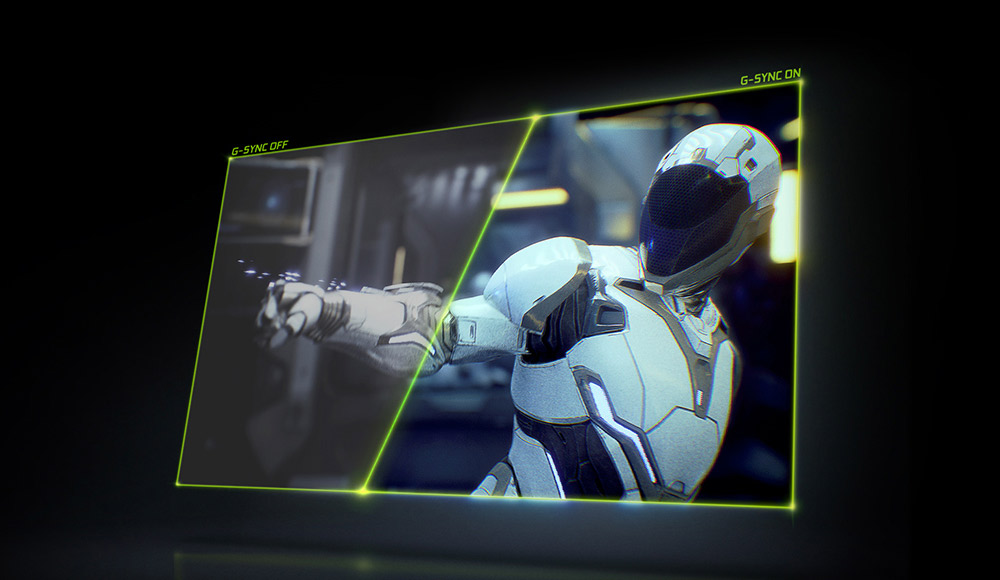
Screen tearing is a common occurrence in graphic-intensive games. The on-screen content of these games is rendered in real-time by your computer's graphics card. The graphics card then tells the monitor what it should display. As we learned above, the monitor's refresh rate dictates how often it can update its display.
If the graphics card relays image information out of sync with your monitors refresh rate, the monitor can display information from two different frames simultaneously. This is called screen tearing because it looks like there is a tear or unnatural break in the image.
G-SYNC and FreeSync adjust the refresh rate of the monitor to match the frames per second (FPS) that are pushed out by the graphics card. Doing so ensures that your monitor only ever displays a single frame at any given moment, thus preventing screen tearing. If you see a monitor (or TV) advertised as having a dynamic or variable refresh rate (VRR), this is what it's referring to.
The main difference between these two technologies is their compatibility. FreeSync was originally developed for AMD graphics cards. G-SYNC only works with NVIDIA cards. FreeSync monitors are also significantly less expensive than their G-SYNC counterparts which require a piece of proprietary hardware.
However, in recent years, a handful of FreeSync monitors have shown compatibility with both AMD cards and NVIDIA models from their GTX 10-series or newer.
G-SYNC - Only for NVidia Graphics Cards
G-SYNC also has a few variations. The most advanced of these is G-SYNC ULTIMATE. It provides HDR support, ultra-low latency, and brightness levels greater than 1000 nits in addition to the Full VRR range of the original G-SYNC.
G-SYNC Compatible monitors are variable refresh rate monitors that were originally designed for AMD cards. However, they offer an adequate VRR range and have been tested to work on NVidia cards from the GTX 10-series cards and newer, without flickers, artifacts, or blanking. NVidia a list of the monitors that support each of these versions. Like the FreeSync list, NVidia could be better at keeping their list up to date.
Other Things To Consider
PWM/Flicker Free Monitors
If you set the brightness of a monitor to anything below 100%, it will probably use pulse-width modulation (PWM) to output your desired level of brightness. PWM is the process of cycling the backlight on and off the screen outputs less overall light, giving the illusion of dimming.
The light flickers on and off fast enough that most people overlook this little trick completely. However, PWM does result in a slight flicker that can bother some people. If you're one of those people, look for a flicker-free screen.
Speakers
When your desk already needs space for a mouse, keyboard, and monitor, a pair of speakers and their nest of wires just adds to the clutter. Finding a monitor with built-in speakers can be a great way to conserve space on your desk. As a general rule of thumb, if you can't see where the speakers are on the monitor, they likely won't be concert quality. But they don't have to be.
If you only watch an occasional video or hop on a video call from time to time, basic speakers should suffice. If you love to turn the music up loud at your desk but don't want external speakers, look for a monitor that shows off its speakers. High-quality, built-in speakers are often placed behind a visible grate that might even sport the logo of a renowned audio company.
Webcam
Staying in touch with friends and family can be a bit more personal with a video call. Similarly, business calls can help you connect with coworkers and clients more effectively; body language can speak volumes. So if you like to see your loved ones or your business associates while you're talking to them, a monitor with a webcam might be the perfect solution. Alternatively, you can always buy a separate webcam that rests easily on any monitor.
Dual Monitors (or More)
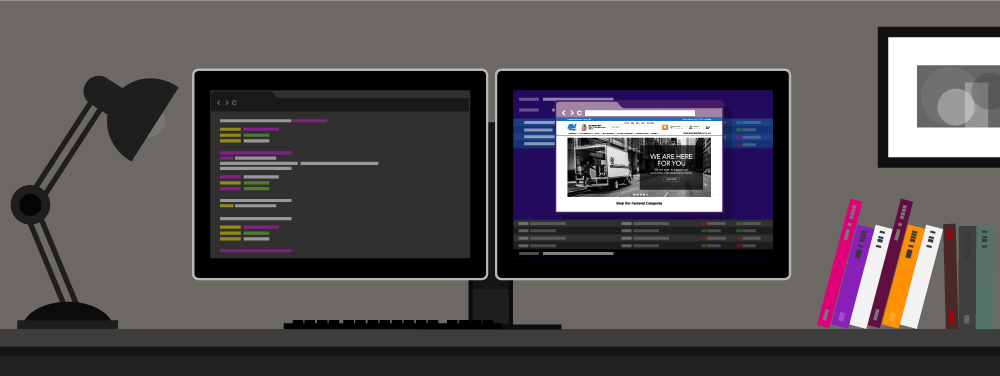
If you're thinking about a set up with two or more desktop monitors, you should seriously consider an ultrawide monitor. Most ultrawide monitors have a 21:9 aspect ratio, providing about 30% more screen real estate than standard 16:9 monitors. Their large screen size also makes them particularly well suited for higher resolutions, making the 34" 3440 x 1440 design perhaps the most popular.
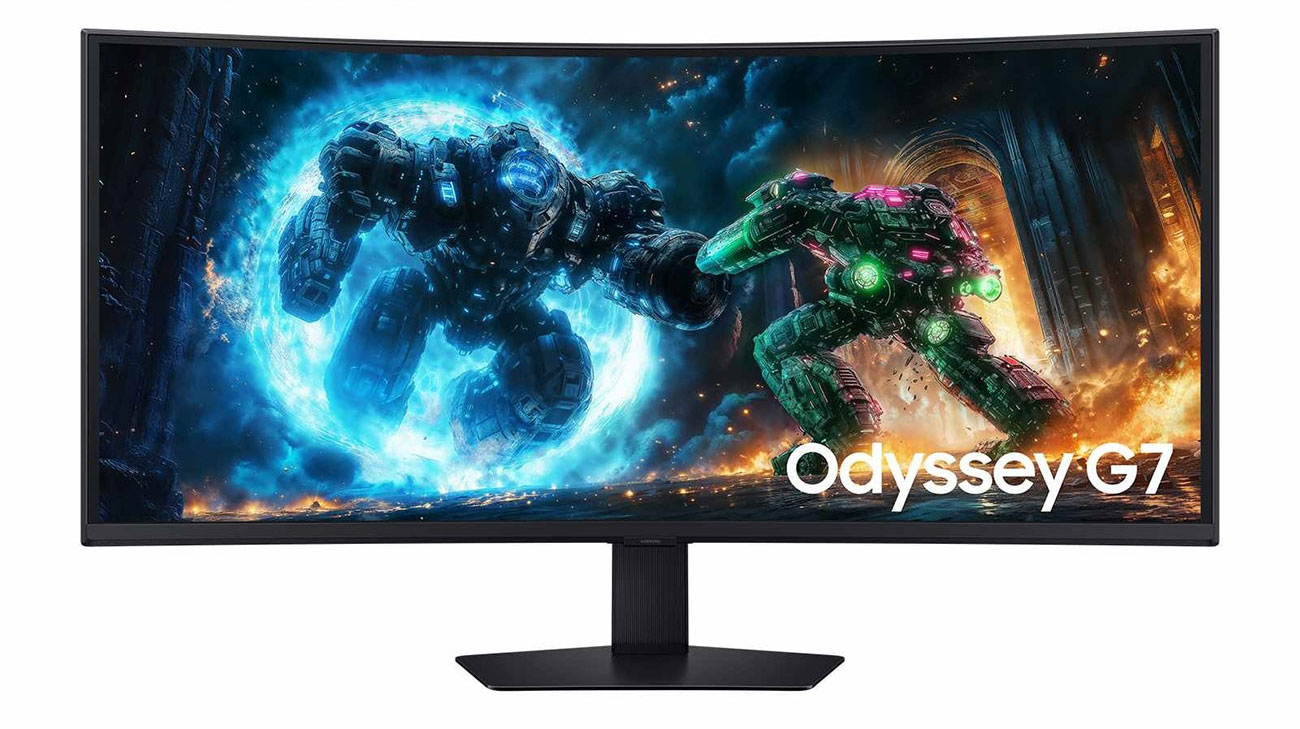
These screens don't offer quite as much detail as a 4K screen. But, they make it much easier to keep several projects open and visible given their impressive screen real estate. Many of these screens also feature a slight curve, filling more of your field of view and reducing opportunities for glare. However, some dislike the look of curved monitors, arguing that it limits viewing angles.
I'm writing this on an ultrawide 34" 3440 x 1440 monitor that happens to be curved. I can't recommend the design highly enough. Multi-tasking is far easier with this monitor than with two 24" monitors. As for the curved screen, I could take it or leave it and generally don't even notice it unless looking at the monitor from an angle.
The only complaint I have about the monitor after using it for several years is the way it handles full-screen videos from embedded players. Sites like youtube don't allow you to stretch and pull the video to a specific size. Instead, they provide at most a few options for video size based on the size of your browser window.
With a dual-screen setup, you can hit "Full Screen" on the video and work freely on the second screen. When you "Full Screen" an ultrawide monitor you can't do anything else. Alternatively, you can play with the browser window and embedded player to find a good size. Although it's a minor complaint, it's worth noting.
Mounts
Multiple monitors can start eating away at your desk space pretty quickly. Mounting the screens helps you take that real estate back. If you might want to mount your monitor at some point, find one that is VESA compatible.
VESA (Video Electronics Standards Association) mounts are the most common design. They attach to your monitor with four screws in a standardized configuration. While you can probably find a mount for monitors that are not VESA compatible, your options will be limited. It's much easier to find VESA compatible monitors even if you're shopping on a tight budget.
Common designs include wall mounts, desk clamps, and freestanding units stabilized with a heavy base.
Pivot Monitors
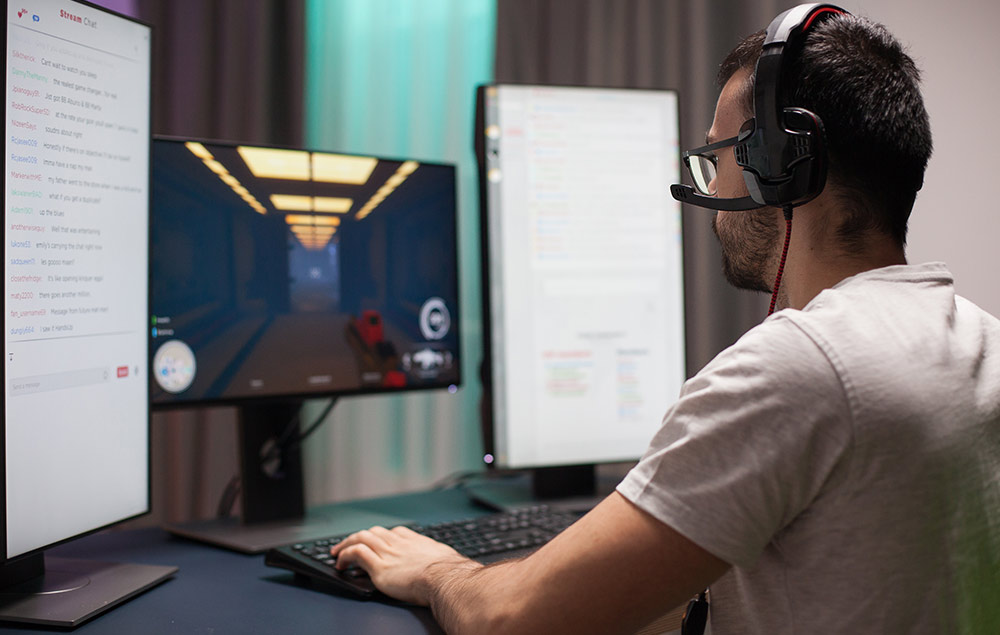
If you aren't a fan of the widescreen format of most modern computers, pivot monitors let you spin the screen 90 ° into a vertical orientation. These screens are typically used for a second or third monitor as opposed to your primary screen. Their vertical alignment can be especially useful when working on long spreadsheets or coding projects.
Glossy/Matte Finish
Just like the old days of printed photos, some monitors come with your choice either glossy or matte screens. Glossy screens offer more vibrant colors and deeper blacks but also suffer from glare much more than the matte counterparts. Matte screens are far less susceptible to glare because of a polarized coating they use to diffuse light. Just be aware that the matte coating also limits the screen's contrast and viewing angles.
Summary
Hopefully, the above guide taught you everything you ever wanted to know about the different types of computer monitors. For most people, focusing on screen size, resolution, and connection type should be all they need to find the perfect monitor.
If you're a gamer, a monitor's refresh rate is the next most important variable. Competitive gamers often prioritize input lag and response time.
If you're an artist, look for monitors with a high bit depth and a panel with accurate color representation.
Should you have any questions, please reach out to us at 800-860-3577. Our staff is ready to help you find the perfect monitor for your specific needs.
Q&A Summary
How do you measure a computer monitor?
Measuring a computer monitor is like measuring a television: you measure on the diagonal. Use a ruler or a measurement tape and measure from the bottom left corner of the screen to the top right corner of the screen (not including the bezel).
How much is a computer monitor?
That depends on your needs. An entry-level LCD monitor can cost under $200, but if you're looking for something with higher performance features like an OLED screen, higher resolution and a better refresh rate, be ready to spend closer to $1000—or more for specialty screens used for higher-tier gaming and artistic works.
How do I connect my laptop to my computer monitor?
The easiest way to connect a laptop to a computer monitor is via a cable. The most common ones are HDMI, USB-C and DisplayPort cables. Slim, modern laptops are more likely to use a USB-C cable than the classic HDMI. If your laptop and monitor don't share a cable, you should be able to find an adapter or connect via a hub instead.
What is a good computer monitor for gaming?
Good computer monitors for gaming will have a high refresh rate of at least 120 or 144Hz, a response time below 5 ms, and a screen size that's between 24 and 32 inches. Some people prefer curved monitors and find them immersive. For resolution, look for either 1080p or 1440p: 1080p doesn't push your graphics card, but 1440p will likely give you the sharpest visuals.
Where can I buy a computer monitor?
You can buy computer monitors at Abt.com or in-store at Abt in Chicagoland. We have a wide collection of budget-friendly monitors, models for gamers and choices for photo editors and graphic artists.
Over 90 Years Of Experience


Your recently viewed items:
Sony MP3/ATRAC CD Walkman Player In Silver

Sony MP3/ATRAC CD Walkman Player In Silver
Contains 16 Reviews
16


