


Comparing Creality 3D Printers: Which Printer is Right for You?
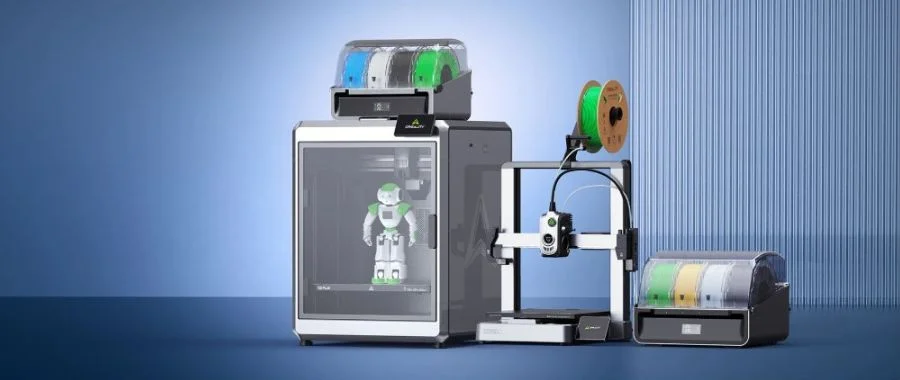

What Does Combo Mean?
You'll notice that there are several printers with "Combo" in their name that seem similar to other models. The main difference is that Combo versions include 1 CFS (Creality Filament System) that gives you access to multi-color printing. If you have room in your budget to upgrade to the Combo version of the 3D printer you're interested in, we recommend it; unless you know for a fact you'll never use multi-color printing, having the CFS in your setup will come in handy.
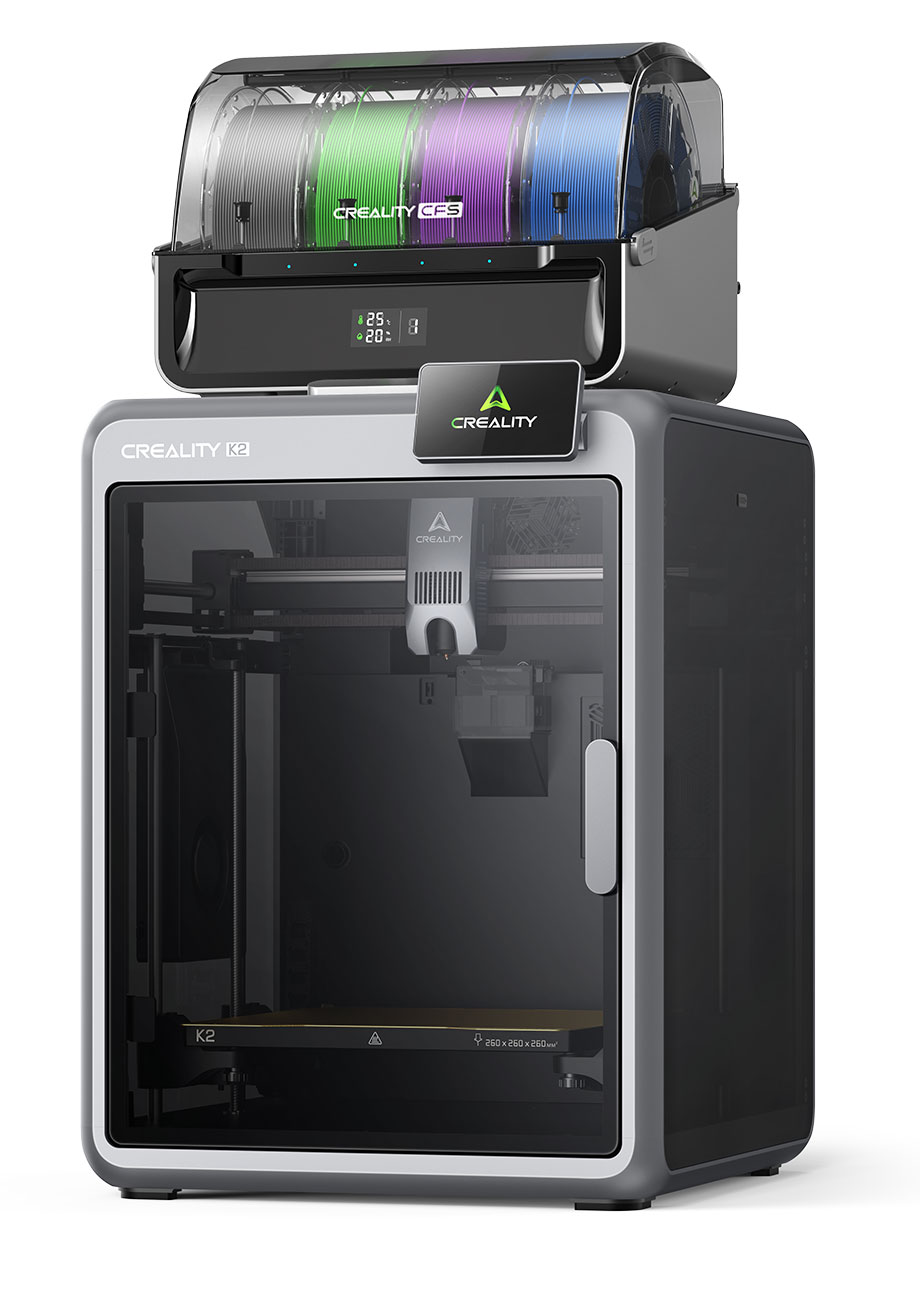
The K2 series models are a step up from the Creality Hi models. The K2 can handle both big and small printing tasks, and the Combo version can print with up to 16 colors. However, it's still largely aimed at personal creation and hobby, so it's great for users with some 3D printing experience who want to invest more in their setup. It features three step-servo motors (two for the XY axes, one for the extruder) that offer stable high-speed quality and surprisingly quiet operation; in Silent Mode, the K2 operates around 45 dB. The addition of smart auto-leveling improves first-layer consistency of every project.
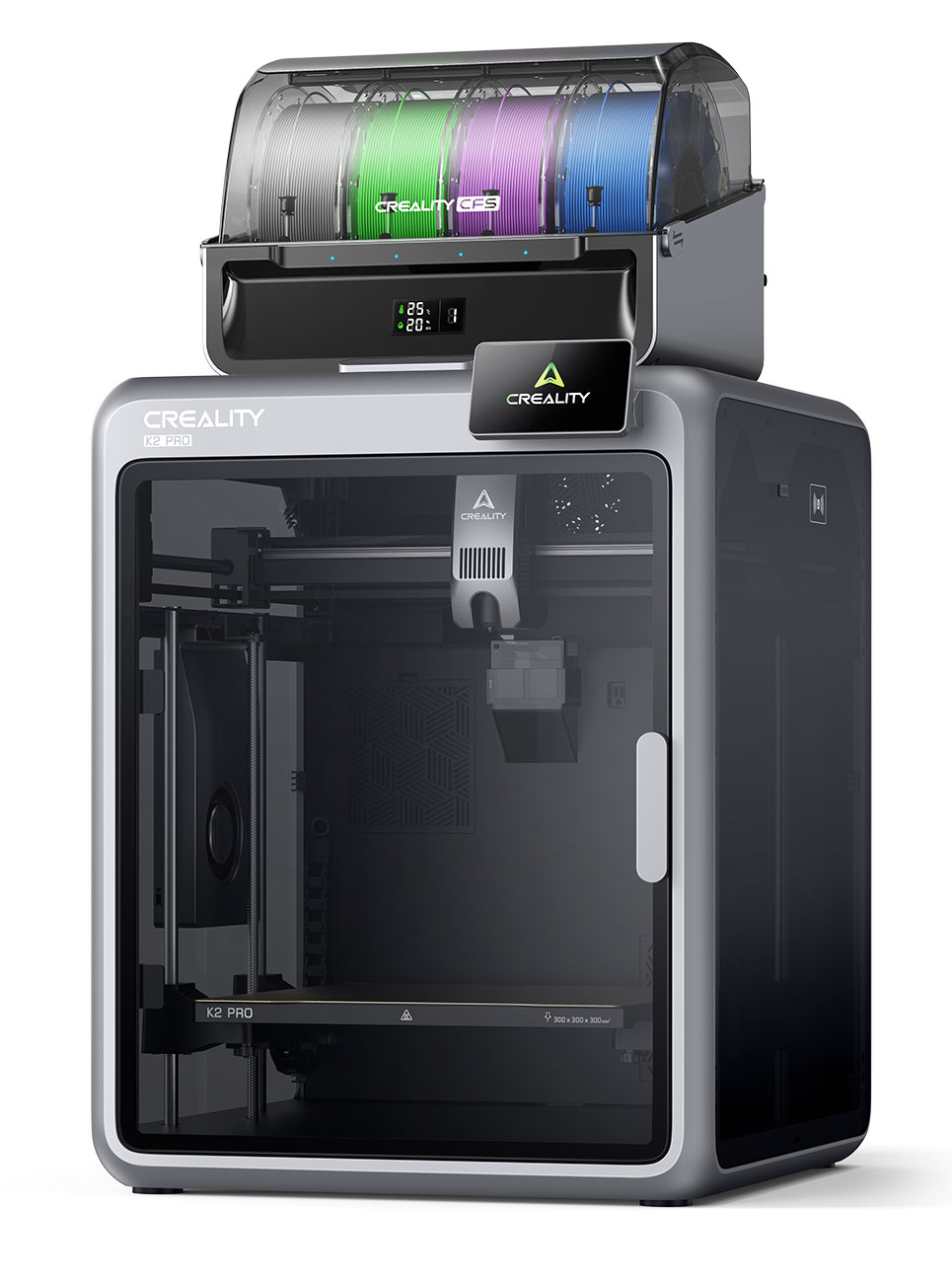
The K2 Pro Combo is made especially for professional applications, like prototypes and design. Its pro-level volume makes the Pro great for creating larger prototypes or batch-producing multiple models in a single print. It features active chamber heating that maintains a more stable temperature, which prevents warping. Similar to the K2, the K2 Pro features three step-servo motors (two for the XY axes, one for the extruder). Its smart auto-leveling reduces failed prints to increase productivity. Dual AI cameras make the K2 Pro a step up from the K2, providing real-time monitoring and AI failure detection.
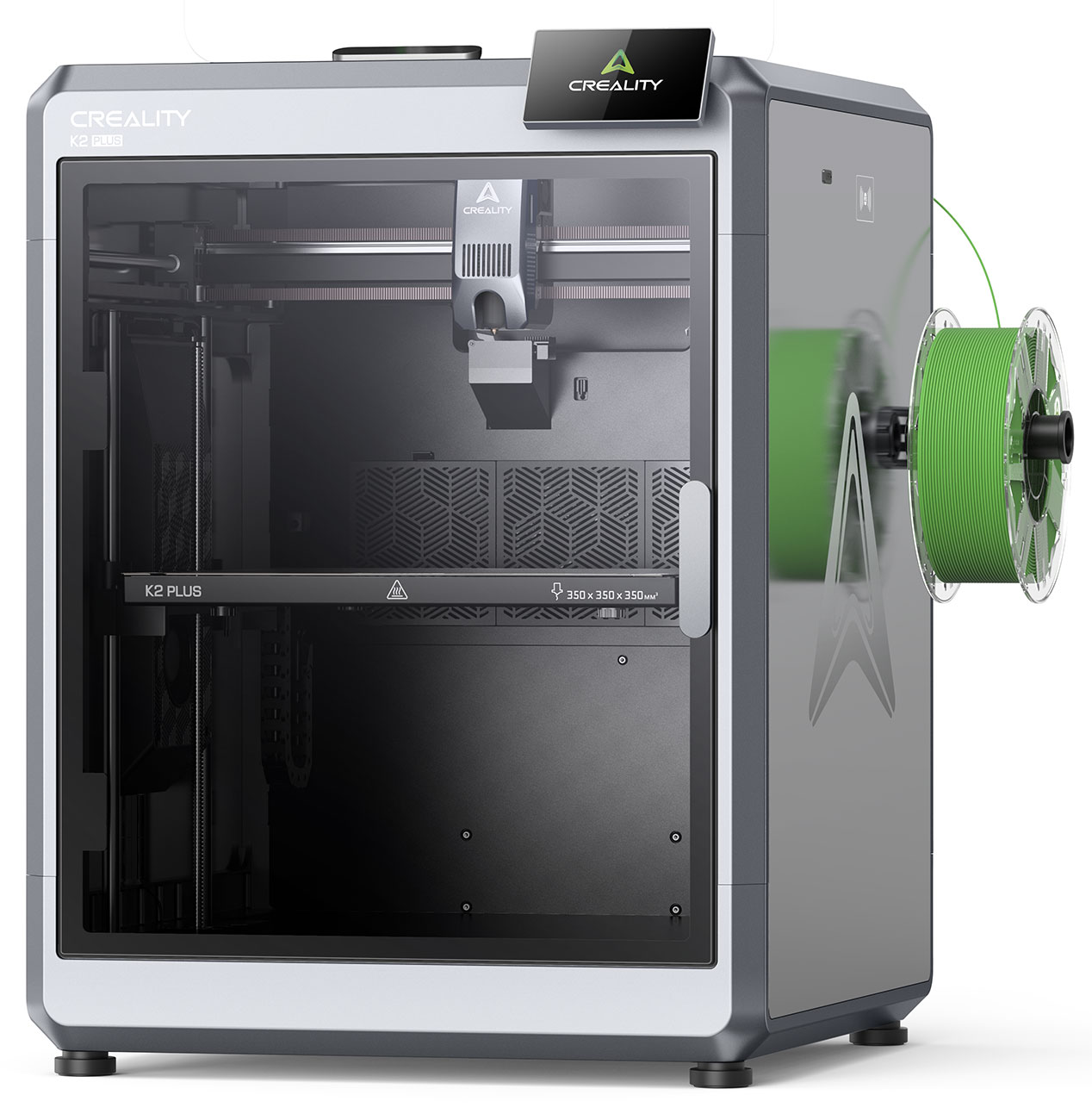
Similar to the K2 Pro, the K2 Plus is also great for professional applications, with the same stable temperature to prevent corner warping. A step above the Pro, it's ideal for manufacturing on a larger scale for experienced users. As the most premium Creality printer we offer, the K2 Plus features five step-servo motors (four for the XYZ axes, one for the extruder) and a larger chamber for bigger models. The color touch screen offers user-friendly operation, and two different AI cameras help you monitor your project to reduce print failure. With one camera in the chamber and one on the toolhead, you'll get better results no matter what you print.
How to Compare Creality 3D Printers
With so many features to compare, it can be difficult to determine which Creality 3D printer makes the most sense for your needs. This chart simplifies their specs so you can easily see the main differences between the options Abt carries.
| Model | Frame | Filament Diameter | Supported Filaments | Heatbed Temperature | Nozzle Temperature | Printing Speed | Acceleration | File Storage | File Transfer |
|---|---|---|---|---|---|---|---|---|---|
| Creality Hi | Open | 1.75 mm | Hyper-PLA, PLA, PETG, ABS, PLA-CF | ≤ 100° C | ≤ 300° C | ≤ 500 mm/s | ≤ 12,000 mm/s2 | 8 GB | USB, Wi-Fi |
| Creality Hi Combo | Open | 1.75 mm | Hyper-PLA, PLA, PETG, ABS, PLA-CF | ≤ 100° C | ≤ 300° C | ≤ 500 mm/s | ≤ 12,000 mm/s2 | 8 GB | USB, Wi-Fi |
| Creality K2 Combo | Enclosed | 1.75 mm | PLA, ABS, PETG, PLA-CF, PET | ≤ 100° C | ≤ 300° C | ≤ 600 mm/s | ≤ 20,000 mm/s2 | 8 GB | USB, Wi-Fi |
| Creality K2 Pro Combo | Enclosed | 1.75 mm | PLA, ABS, PETG,PA-CF, PLA-CF, PET, ASA, PPA-CF | ≤ 110° C | ≤ 300° C | ≤ 600 mm/s | ≤ 20,000 mm/s2 | 32 GB | USB, Wi-Fi, Ethernet |
| Creality K2 Plus | Enclosed | 1.75 mm | PLA, PETG, TPU, ASA, PET, ABS, PA, PC, CF, GF, PPA-CF, PPS, PPS-CF | ≤ 120° C | ≤ 350° C | ≤ 600 mm/s | ≤ 30,000 mm/s2 | 32 GB | USB, Wi-Fi, Ethernet |
Find Your Creality 3D Printer at Abt
Creality 3D printers are a great investment whether you're creating objects for personal use or want to make consumer products for a business. If you're looking for the most premium option Abt carries, the K2 Plus is the 3D printer for you; on the other hand, those looking for a simpler model for fun, smaller projects and hobby printing will be satisfied with the Hi. If you have additional questions about any of the 3D printers mentioned here, call 800-860-3577 to speak with Abt's electronics experts.
Creality 3D Printer FAQs
-
Yes, Creality 3D printers are good. They have options for printers of all skill levels and uses, from hobbyists to professional manufacturing.
-
Yes, Creality has multi-color printers. Any of their "Combo" models like the Hi Combo or K2 Combo come with the CFS (Creality Filament System) for multi-color printing.
-
Yes, Creality has an app that lets you control your printer and transfer files for projects you want to print.
-
There are three ways to update the firmware on your Creality printer: USB, via the touch screen or via the app. If you're using a USB, download the firmware from Creality Cloud to the USB drive, insert the USB into the machine and click "Upgrade" when it appears on the touch screen. If you're updating online via the touch screen, select Settings, then select Version Checking. Click "Download" and the firmware will install. Finally, the app will let you know if there is a firmware update available that you can install remotely.


