


Microsoft Surface Laptop vs. Surface Pro: Copilot+ PCs
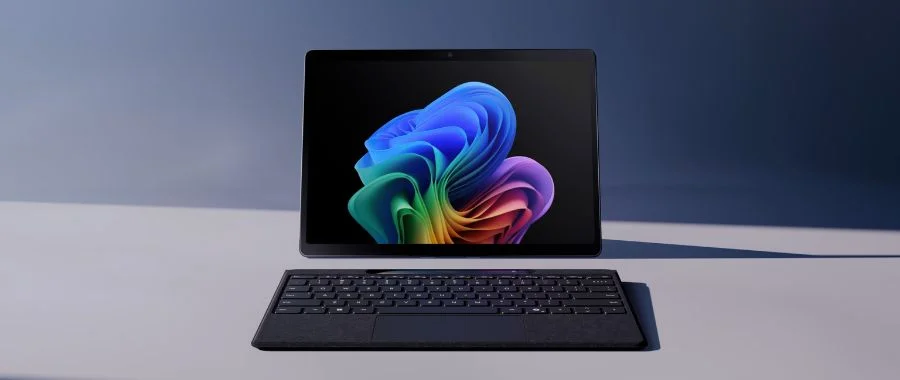

Microsoft has a reputation for being at the cutting edge of technology-and for perfecting it, whether they're debuting new software, gaming consoles or something completely different. They've done it again with the Microsoft Surface Laptop and Surface Pro 2-in-1 device. Even better, the latest versions of these two computers are infused with Copilot, Microsoft's cutting-edge AI assistant. That makes these Copilot+ PCs. While all kinds of computers that run Windows 11 use Copilot through a web browser or the Windows 11 taskbar, these PCs are designed with Copilot at their core. But before we dive into all that Copilot can do, let's take a closer look at the Surface lineup, including the latest laptop and 2-in-1 device by Microsoft. Here, we pit these two against each other to see which is better for you; it's the Microsoft Surface Laptop vs. Surface Pro, both powered up by AI.
What Is the Microsoft Surface?
That's a trick question, and kind of like asking "What's the iPhone?" There are multiple generations and many different options in the Surface lineup, along with diverse colors and sizes. But there's one main choice to make here: whether you want the Microsoft Surface Laptop vs. Surface Pro 2-in-1. Are you going classic laptop or 2-in-1? And while the decision might normally be easy, the impressive Microsoft Surface Pro makes it harder by being a better 2-in-1 device than almost any other on the market. Below, we'll give a brief overview of these two, then dive into the pros and cons of each. One pro for both? They're both Microsoft Copilot+ PCs, and are powered up by onboard AI to help you tackle nearly any task-going beyond generative AI to work both on and with your computer.
Meet the Microsoft Surface Pro
Microsoft Surface Pro 12-inch Copilot+ PC Qualcomm Snapdragon X Plus 16GB 512GB UFS Windows 11 Home in Violet (Device Only) - EP2-33674
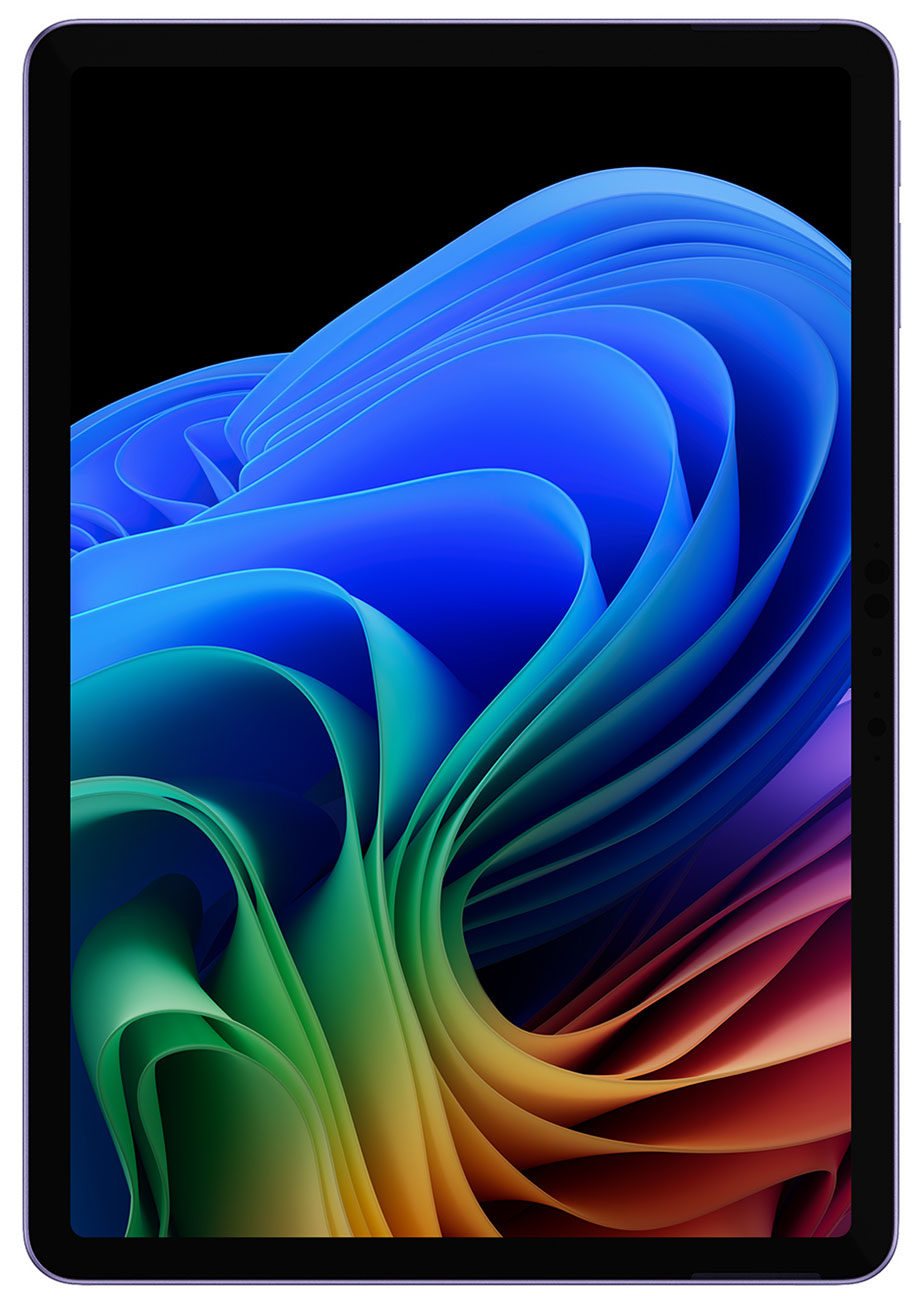
The Microsoft Surface Pro is a 2-in-1 device that easily transforms with the help of its kickstand and a magnetic keyboard with a built-in trackpad mouse (sold separately). Choose between two slim sizes, its 12-inch and 13-inch models—both are perfect for slipping into a bag thanks to their lightweight design. Unlike some handheld devices, the Surface Pro isn't all about apps and streaming-even if it is easy to use and great for creatives. Instead, this 2-in-1 device runs Windows 11, just like a regular PC. When you look at the screen, it looks just like one you'd see on a classic desktop or classic laptop. Meanwhile, the Snapdragon X processor brings extra power to everything you do, whether you're editing videos and photos, taking meetings, sketching, reading or streaming ... from anywhere. In the battle of the Microsoft Surface Laptop vs. Microsoft Surface Pro, keep in mind that the Surface Pro is more than just a 2-in-1 device, it's a Copilot+ PC. Between unbeatable flexibility, laptop-like functionality, all-day battery life and the intelligence inside, this slim Copilot+ PC is ready to get to work anywhere.
Meet the Microsoft Surface Laptop
Microsoft Surface Laptop Copilot+ PC 13.8-Inch Touchscreen Snapdragon X Elite X1E-78-100 32GB RAM 1TB SSD, Qualcomm Adreno Graphics in Black - ZGQ-00001
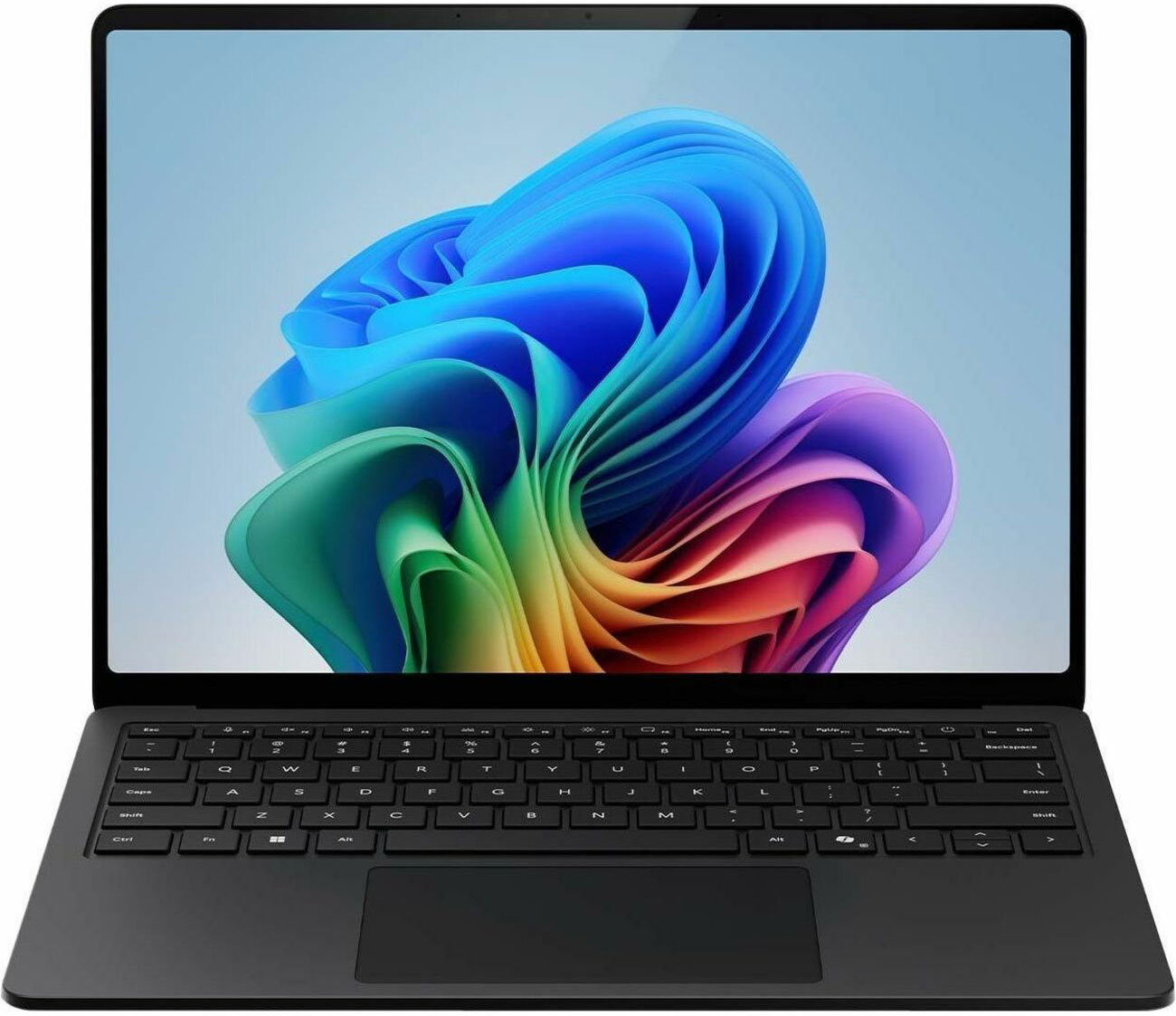
The Microsoft Surface Laptop is a true beast, balancing a light aluminum alloy body, incredible performance powered by a Snapdragon X processor, multitasking capabilities and extensive battery life that stuns. Copilot+ PCs now deliver up to 27 hours of local video playback battery life*, meaning you can leave your charger at home. That level of battery life makes the laptop a workhorse that can move as fast as you do, whether you're looking for a computer for work, school or at-home multitasking. And with a lightweight design across all three laptop sizes, this pick is extremely portable (even at 15 inches). Take it to the coffee shop, the office, even use it in your lap on the bus. With its sturdy design, you can use the Microsoft Surface Laptop nearly anywhere you go. And when it comes to the fight of the Microsoft Surface Laptop vs. Microsoft Surface Pro 2-in-1 device, the Surface Laptop is a worthy opponent. Let's break things down further, diving into some of the things that both computers share-like access to Copilot.
Copilot: An AI Companion
Meet Microsoft Copilot: a web-based generative AI assistant you can find on pretty much any Windows 11 PC. You may have already used it in your current computer's taskbar, in your web browser, in an app or in programs within Microsoft 365. With a quick request, users can ask for help with drafting an email, coding a webpage, researching a topic or even planning an upcoming vacation. Copilot helps find answers immediately, right where you are. Instead of running through webpages and spending time researching, all you need to do is ask and Copilot gives you the answers.
Before you click away and think "I already have my favorite AI bot" or "I hate AI, period," remember that these are innovators in the space. Microsoft has done things differently with Copilot. There's one large problem that most generative AI agents have always had: they can only respond to the prompts you offer. That means you may need to go back and forth until you find the right question that helps an AI give you the right answer. Copilot breezes past that problem with features like Copilot Voice and Copilot Vision. With Copilot Voice, you can have an easy vocal conversation that relies not on prompting, but on a natural back-and-forth. You'll experience better interaction that feels organic, all to give you the answers you want. Instead of needing the proper prompt, all you need to do is talk. Use "Hey Copilot" as the wake word. Meanwhile, Copilot Vision sees what's on your screen and acts as your visual assistant with your permission. It can analyze what you see on your computer, coach you through a project and show you how to best use a game or edit photos. Between Voice and Vision, Copilot can sideline the traditional prompts in favor of more natural assistance, but only with your permission. And if you'd rather work with classic prompting, that option is just as open and just as impressive.
Copilot is your Windows assistant, and with so many hurdles removed, learning how to use it isn't a chore, it's simple. And Copilot+ PCs like the Microsoft Surface Pro and Microsoft Surface Laptop are built with Copilot at their core in an entirely different way.
What Are Copilot+ PCs?
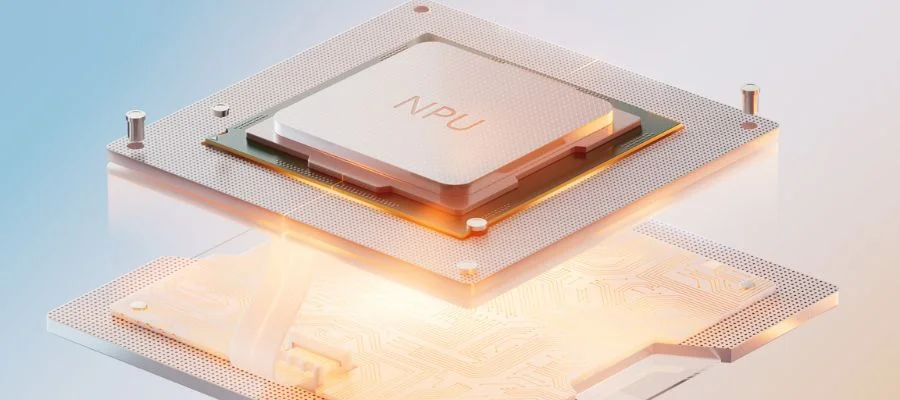
A Copilot+ PC brings AI onto the computer itself. Instead of using generative AI online, users can have AI work with them on their computer directly. Both the Surface Pro and Surface Laptop are Copilot+ PCs, or computers with high-powered NPUs (neural processing units). Thanks to the onboard NPUs, all AI systems are processed faster on these computers. Certain tasks and prompts aren't sent away to faraway servers; solutions are presented at lightning speed right on your Copilot+ PC.
Simply put, Copilot+ PCs are crafted with on-device AI. That means that these Microsoft Surface Laptops and 2-in-1 devices are made for heavy workloads and can help you access new ways to work on and with your computer. AI features like Recall power up daily tasks. Recall helps you find almost anything you've seen on your computer with just a description. Easily find files you've stashed away, analyze on-screen text or images, explore all kinds of new ways to edit images and enjoy live captions with translations-perfect for anyone on a work call who needs real-time translations into English subtitles. Copilot+ PCs feature Improved Windows Search, helping you find files and settings easily (with less time spent burrowing through your computer's settings). Finally, there's Click-To-Do. With Click-To-Do, the AI takes a snapshot of your screen, interacting with elements to search the web, summarize what's on the screen, rewrite, make a list, adjust an image or even erase objects or the background. With Click-To-Do, the NPU goes to work to take next steps that would normally take you extra time and effort—all with just a click.
All of that onboard intelligence sounds amazing ... but is there any difference between the 2-in-1 device and the laptop when it comes to Copilot+ PC capabilities? In the battle between the Microsoft Surface Laptop vs. Microsoft Surface Pro, it's a major selling point. The more TOPS, or Trillions of Operations per Second, an NPU has, the better. So if onboard AI is something you know you want in a computer, look for the model with the most powerful NPU. When comparing the Microsoft Surface Laptop vs. Microsoft Surface Pro, they both have mighty NPUs. Surface devices have NPUs capable of 45 TOPS, and to be considered a Copilot+ PC, a device needs to have a minimum of 40 TOPS. No matter which choice you make, you can't make a wrong decision.
Big or Small, LED or OLED?
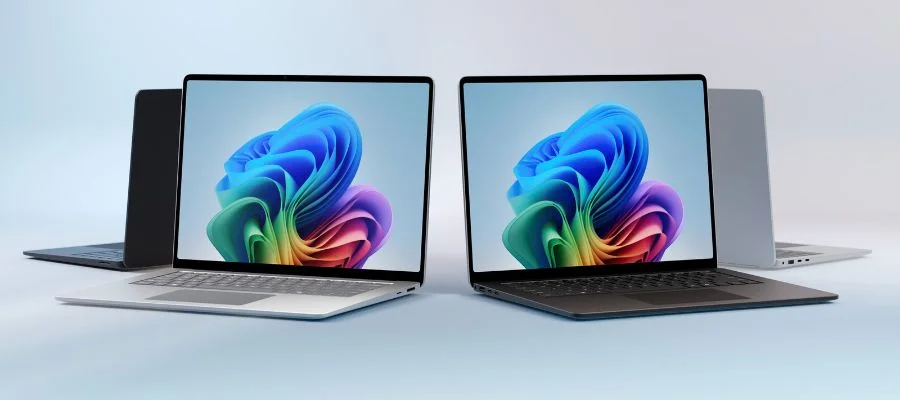
We know how everything works from the AI side, but there's still more to these computers. Looking at the Microsoft Surface Laptop vs. Surface Pro, which size or screen is right for you? The Surface Laptop currently comes in three sizes: a 13-inch, 13.8-inch and 15-inch model. Each sports a PixelSense LCD touchscreen for extra versatility and, depending on the size, offers perks like a 120 Hz refresh rate that gamers and streamers will appreciate. Meanwhile, the 12-inch Surface Pro uses the same LCD PixelSense display, but the 13-inch model brings something completely different: an OLED screen. With deeper blacks and more impressive color contrast, the OLED model beats out the laptop screens and the smaller 2-in-1 device. If you're looking for the best screen you can get in the battle of the Microsoft Surface Laptop vs. Surface Pro, the 13-inch 2-in-1 device is the choice for you.
Snap-On Keyboards, Pens & More
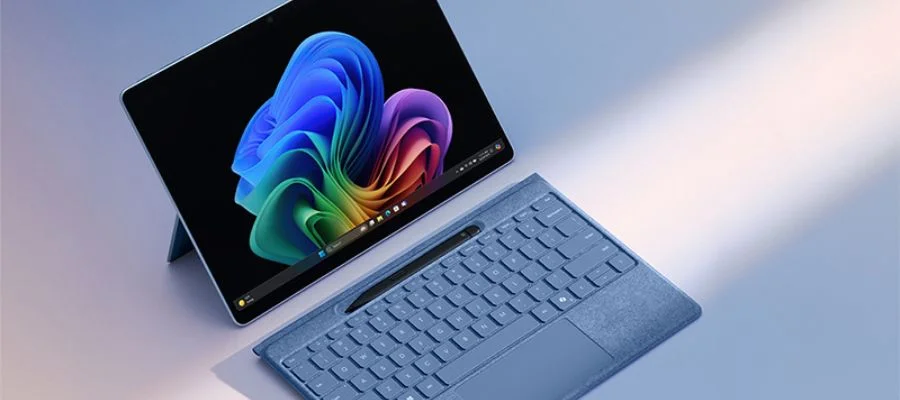
But there's more to a device than its display, and models like the Surface Pro need accessories to perform at their best. That's why Microsoft's 2-in-1 keyboards and pens are mandatory for anyone hoping to get great work done. Surface Pro keyboards are crafted to magnetically attach to their AI-powered 2-in-1 device, and larger keyboards have a dedicated spot to charge the Surface Pen. You can make lots of upgrades to your Surface Pro workstation with other Microsoft accessories, but the one thing you'll absolutely need is a dedicated keyboard. Pull out the kickstand to prop up your Microsoft Surface Pro, attach the keyboard and you're ready to go. Some keyboards, like the 13-inch Flex model, can even type wirelessly from a distance. Other potential upgrades for the Surface series include a wireless mouse, docks that let you connect to other gear and more, like replacement parts and accessibility aids.
What Makes These Better Than the Competition?
So, what makes the Surface family of computers indomitable? They're all Copilot+ PCs, providing the ultimate AI PC experience. The hardware is impressive, from an OLED screen on the Surface Pro to the processing power of the Surface Laptop. But even in the fight between the Microsoft Surface Laptop vs. Surface Pro, they're both Copilot+ PCs. The speedy NPUs in both help the onboard AI become your quick assistant in everything you do, whether you're trying to find an old file, looking for subtitles during an online meeting or need help editing an image fast.
Copilot+ PC capabilities put both of these Windows 11 heavyweights ahead of a classic PC, but the two aren't the same. It's still the Microsoft Surface Laptop vs. Surface Pro, so is one better for you than the other? And if something's holding you back, you're not alone. AI is a relatively new space, and many are feeling a bit hesitant to invest in an AI PC.
Why Some Are Hesitant-And Why You Should Buy Anyway
When it comes to AI, it's natural to be hesitant. Between online fearmongering and how fast things change within the realm of AI, it's hard to take the plunge. That being said, you are always in control. Users can turn AI experiences on and off when you'd like, tweaking the settings until they meet your preferences. And these are powerful computers for the price that can easily adapt to fit any environment. A 2-in-1 device that can go from note-scribbling with a stylus to typing up a report with an attachable keyboard is great for anyone who needs that flexibility. The Surface Laptop is mighty, slim, portable and comfortable for that perfect traditional laptop experience. But still, isn't AI something that's hard to invest in, especially with tech that's supposed to last?
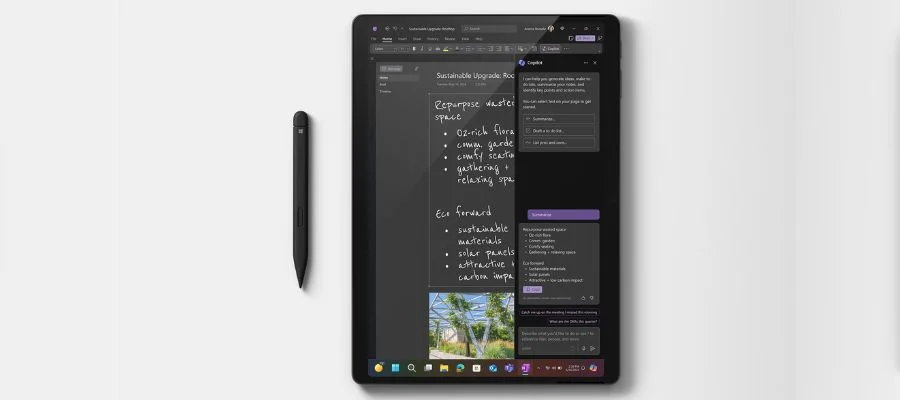
Remember, this is Microsoft. These are giants in the tech industry, and this isn't their first time moving into unknown frontiers. They've designed both devices to be as secure as possible. The brand notes that "Copilot+ PCs are the most secure Windows PCs yet, loaded with layers of hardware-based security". Both of these products are Copilot+ PCs, and the Copilot assistant and the internal NPUs are all ready to work alongside you to tackle quick projects and long-term tasks. Break past the hurdle of prompting AI with a conversation via Copilot Voice, and use Copilot+ PC experiences to easily find files, aid in creative projects and assist with other computer tasks-even gaming. And it all happens with security principles in mind and layers of defense built into every process. And there's no need to fear that choosing a Copilot+ PC will leave you in the dust later when AI improves in the future. Simply keep your Windows 11 PC up to date with new updates to both AI features and security. Microsoft will keep improving your experience, so there's no need to stay unsure. You're backed by decades of the brand's expertise, and their latest security, tech and powerful AI.
Which Wins? Surface Laptop vs. Surface Pro
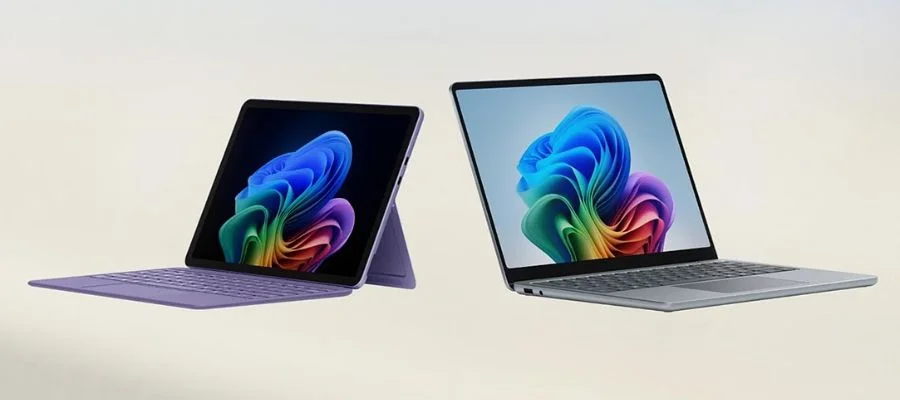
So, the Microsoft Surface Laptop vs. Surface Pro: which one wins? They're both impressive machines with powerful processors, and they're ready for the next era of AI. But there are big differences between a 2-in-1 device and a classic laptop. They're both great for different users and lifestyles. If you like the idea of using a 2-in-1 device for note-taking and sketching-and popping out its kickstand as you attach the keyboard, the Microsoft Surface Pro is the right choice for your needs. But if you'll need something you can work on in your lap or are hoping for a heavy hitter for tackling academic tasks or work assignments, choose the Surface Laptop. Extra ports and good battery life give you a boost here, too.
The next part is fun: picking out a model and zeroing in on details like size, screen quality, battery life and even the body color. Right now is a good time to buy too, especially at Abt. These Copilot+ PCs are a deal right now with over $100 in savings off any device, and they'd make a great gift for a loved one or yourself. The Surface Pro is one of the top devices in one of our electronics holiday gift guides, too. In truth, when comparing the Microsoft Surface Laptop vs. Surface Pro, there's no way to lose, but there is one that's better for you. If you're having a hard time choosing, we're here to help. Call Abt at 800-860-3577 to speak to our experts, or read up online with our Learn Center's laptop buying guide.
*Battery life varies significantly by device and with settings, usage and other factors. For more on battery life for different models, check out Microsoft's Guide.
Microsoft Surface Laptop vs. Surface Pro FAQs
-
The newest Microsoft Surface Pro is the Surface Pro 12-inch device, a Copilot+ PC released in May of 2025.
-
Between the Surface Laptop family and the Surface Pro family, there are traditional laptops and 2-in-1 devices. The latest models run Windows 11 and are Copilot+ PCs.
-
There are a few ways to charge a Surface Pen. It can charge in the wireless charging area of a compatible accessory, like with certain keyboards or even on some Surface Pro 2-in-1 devices or Laptops. There is a dedicated pen charger as well.
-
It does not come with an included keyboard. You will need to purchase a keyboard separately.


