THE OFFICIAL BLOG OF ABT


Sony Bravia 3 vs. Samsung Q60D: A TV Comparison
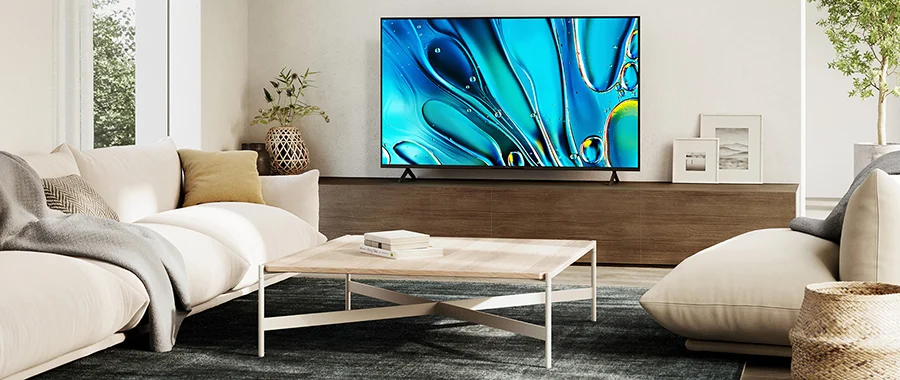

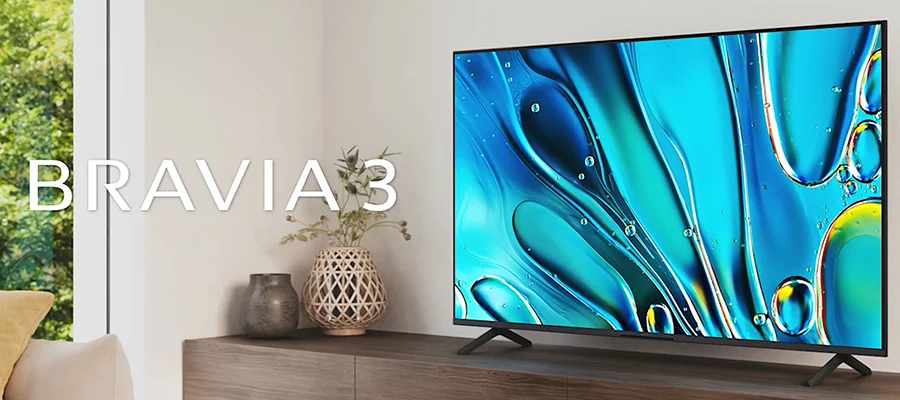
2025 is fast approaching, and while you've probably heard and maybe practiced the mantra "new year, new me," the electronics experts at Abt dare to propose: "new year, new TV." The beginning of 2025 is the perfect time for a home theater upgrade. That's why Abt has hundreds of stunning screens for you to browse. With a selection this large, we understand that making the right choice can be overwhelming. There are plenty of factors to consider, including the TV brand, screen size, sound quality and display resolution. Another factor is model popularity, which often falls to the latest TV releases. Two screens that fit this mold are the Sony Bravia 3 and the Samsung Q60D. Both of these TVs offer advanced engineering and higher-quality viewing, but they're also very similar. Which of the two models is the better option for you? We'll help you answer this question by breaking down the top features of these screens and their biggest differences. By the time you finish reading, you'll be more than ready to invest in a brand-new TV for your entertainment center.
What To Expect From These Displays
The most important aspect of any TV is the visual quality it brings to your content, so let's compare. The Sony Bravia 3 is equipped with an intelligent 4K HDR Processor X1™. This processor allows for lifelike picture quality as it dynamically enhances every scene you watch with brilliant contrast and clarity. The Bravia 3 is a 4K TV, but Sony understands not all content is created for this format. With help from 4K X-Reality™ PRO technology, the TV can analyze and refine every frame of your TV show or movie to reach near-4K resolution. The color palette available on this screen is expanded to over a billion shades, allowing Triluminos Pro™ technology to reproduce every hue with enhanced saturation. Every color you see will be vivid, bold and extremely accurate, thanks to 100% Color Volume with Quantum Dot.
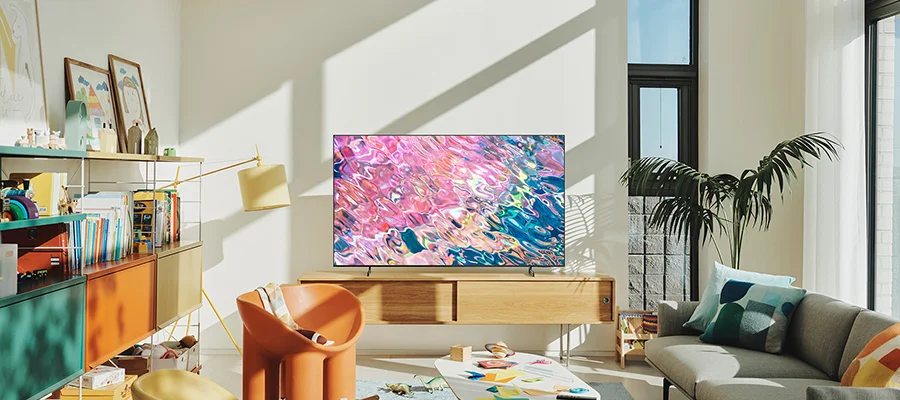
Fans of live sports, action films and high-speed gaming (we'll dive into this later) will love the Motionflow™ XR feature on the Sony Bravia 3. This enhancement smooths fast movement so you see every little detail onscreen, whether it's an athletic play or a campaign-winning combo. The best part of this Sony model is that you can place it in any room and it will always look its best. That's because the screen has a sensor that automatically matches the TV brightness to your lighting conditions. On top of all of these improvements, the Sony Bravia 3 further boosts the visual quality with Dolby Vision®. The Samsung Q60D TV shares many of the same image enhancements as the Bravia 3. While the Bravia 3 uses a full-array LED backlight, the Q60D utilizes Dual LED. Full array relies on local dimming for better contrast. Dual LED lets the QLED TV balance brightness and color for more accurate, realistic visuals.
This Samsung model is powered by the Quantum Processor Lite. Similar to Sony's 4K X-Reality™ PRO feature, this processor upscales all content to near 4K. Just like the Bravia 3, the Q60D also has improved vibrance thanks to 100% Color Volume with Quantum Dot. But instead of Triluminos Pro™, this Samsung TV offers PANTONE Validated colors, hues approved by industry-leading experts so every image looks better than the last. To match the Bravia 3's 4KHDR technology, the Q60D features Quantum HDR for optimized contrast and detail. Sony's Motionflow™ XR is comparable to Samsung's Motion Xcelerator, which provides less blurring and lagging in the fastest of action sequences. The Samsung Q60D may not be compatible with Dolby Vision, but it does offer Filmmaker Mode. When watching a movie, Filmmaker Mode improves the overall display quality to closer match the director's original creative intentions.
Analyzing Audio Performance
The next TV factor to consider is the audio quality, as you want your favorite content to sound its very best every time you watch. To begin, the Sony Bravia 3 is equipped with an X-Balanced Speaker™, which features a uniquely shaped diaphragm. This diaphragm helps reduce distortion and improve the sound, acoustics and resolution of your content. On top of this already advanced audio system, the Sony Bravia 3 supports Dolby Atmos technology. Dolby Atmos sends sound above the 4K TV, to the sides and everywhere else too, to provide immersive, atmospheric surround sound. If this isn't enough for your audiophile tastes already, you can pair Sony Bravia TVs like this one with compatible soundbars from Sony for a truly cinematic experience.
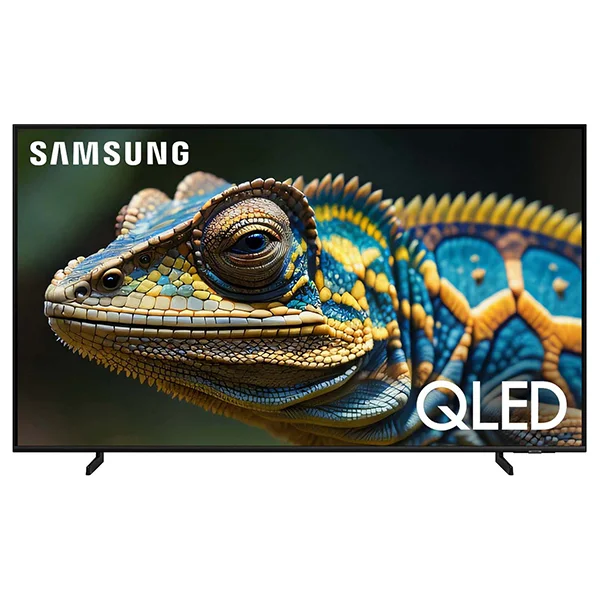
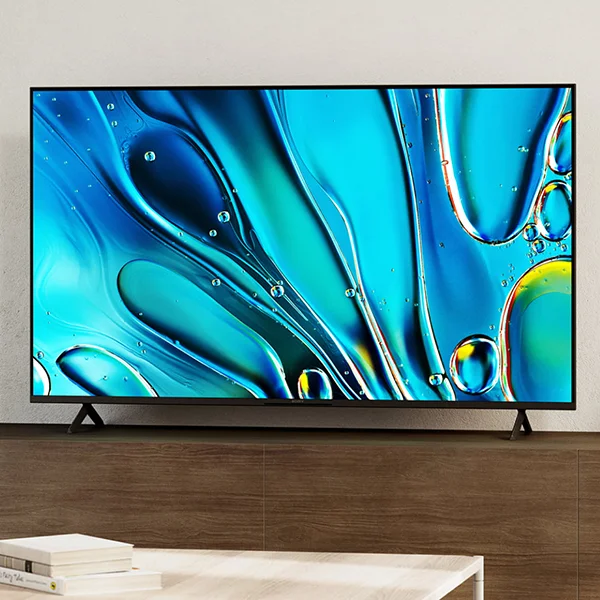
The Samsung Q60D offers stunning audio quality too. With Adaptive Sound, the TV can optimize audio by content type, basing each enhancement on real-time scene analysis. The Q60D also has an Object Tracking Sound Lite feature. This technology uses virtual top-channel audio and allows your 3D surround sound to follow each action and movement onscreen. This means you'll never miss even the smallest bits of dialogue and detail. Just like the Sony Bravia 3, you can further expand the Q60D's sound experience with a soundbar thanks to Q-Symphony. Q-Symphony allows this Samsung TV to pair seamlessly with a Samsung soundbar from the Q-Series or S-Series lineups.
Take Advantage of Additional Technology
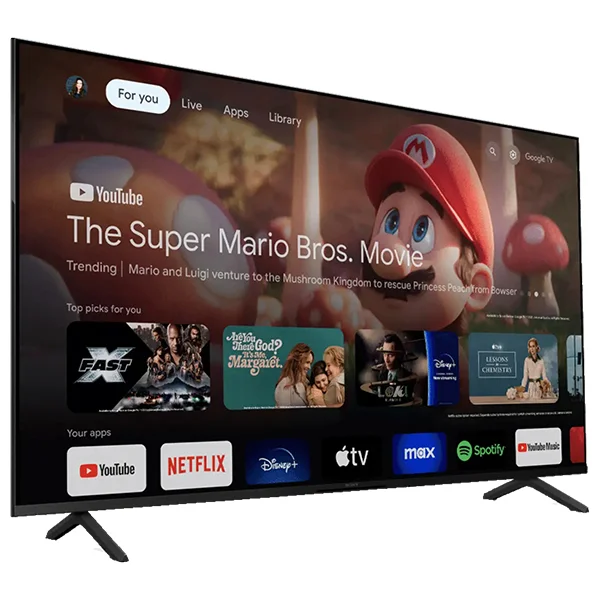
Outside of TV visuals and audio, what other technology do these models have to offer? We'll walk you through the special features available on each. The Sony Bravia 3 is a Google TV™, which means you'll have over 800 free channels at your disposal. Explore over 700,000 TV episodes and films to find the content you love. If you find nothing to watch on these channels, the Bravia 3 also offers live TV access and over 10,000 apps. This includes streaming services like Netflix, YouTube, Prime Video, Disney+ and more. If you have children, you can even build a Kids Profile on the TV. With a Kids Profile, you can restrict what services are displayed, set a bedtime and limit watching time. While this library is more than enough to provide you with the entertainment you seek, the Sony Bravia 3 TV also comes with the SONY PICTURES CORE app.
Using movie credits included with the Bravia 3, you can watch some of the latest theatrical releases or some of the most beloved film classics immediately. Maybe you want to watch your own videos onscreen. Just stream directly from your Apple or Android device via built-in Chromecast or AirPlay® 2. You don't even have to dig through channels or apps to find good content. Skip the hard work by pressing the Google Assistant button on the remote and giving your TV a verbal command. Environmentally conscious viewers will love the Eco Dashboard too. This feature lets users customize energy-saving settings based on the content, viewing conditions and TV usage.
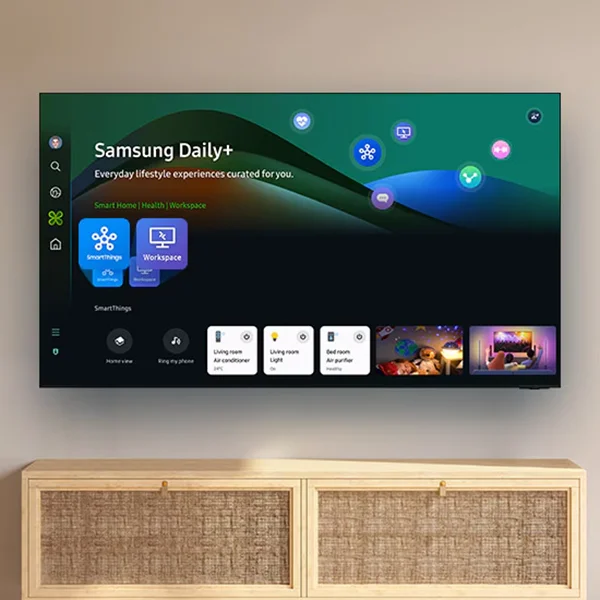
Most of the watching, playing and other TV activity on the Samsung Q60D relies on the powerful Samsung Tizen OS smart TV platform. With Samsung TV Plus, you'll gain access to over 2,700 free channels, some premium as well. If you're interested in live TV, you can choose from over 400 free channels too. For those who prefer streaming services, the Samsung Q60D comes with over 1,500 apps. This model also offers screen mirroring from your smart device through Chromecast and Apple AirPlay. When you have this much content at your fingertips, deciding and agreeing on one thing to watch can be a struggle. Especially when you share the Samsung Q60D with other people in the home. Luckily, this TV has Multi View, which allows viewers to display two types of content at the same time on their screen. The Q60D and the Bravia 3 both have Google Assistant capabilities, but the Samsung model takes it a step further by offering compatibility with Amazon Alexa as well.
Watch Hard, Play Hard
Gaming may not be the factor that pushes you to buy or not buy a TV, but it's a detail that's become increasingly important to entertainment fanatics of all kinds. While the gaming experience is of the highest quality on both models, the Sony Bravia 3 has a leg up, if only because Sony manufactures the ever-popular PlayStation® 5. Sony takes extra steps in TV engineering to ensure that their gaming consoles are supported in the best way possible. The Sony Bravia 3, specifically, offers exclusive features for the PlayStation® 5, including Auto HDR Tone Mapping. This enhancement automatically optimizes your console's HDR settings so scenes from your favorite games can be high-contrast and much more detailed.
Another feature available on the Bravia 3 is Auto Genre Picture Mode. When streaming, your TV is likely set to Standard Mode, which provides optimized image quality. Another Auto Genre Picture Mode to take advantage of is Game Mode. Once you begin gaming, the TV will automatically switch to Game Mode, which in turn reduces input lag for faster, more seamless gameplay. Even if you don't own a PlayStation® 5, there are still plenty of perks for you on the Sony Bravia 3 thanks to the Sony Game Menu. There, you can access exclusive assist features and manage picture settings through tools like Black Equalizer. Black Equalizer can enhance details in the darkest shadows of your game. Screen Size technology allows you to shrink for screen for more precise gaming.
Also in the Game Menu, you can apply a Crosshair overlay to keep your competition in sight. It should be noted that you can stream video games on the Sony Bravia 3. But these video games are strictly sourced from the PlayStation® 4 and 5 through the PS Remote Play app. The one feature the Samsung Q60D offers for gaming is the Gaming Hub. The Gaming Hub is an advanced interface that allows users to stream and play their favorite games without needing an external console. The Q60D offers a wide selection of games, including over 1,300 classic games and thousands of games from popular companies like Nvidia GeForce NOW and Xbox. The biggest benefit of the Gaming Hub is that you can access all of your games from one convenient location. Plus, you won't have to pay extra for a PlayStation® 5 or another gaming console if you don't want to.
The Difference In Design
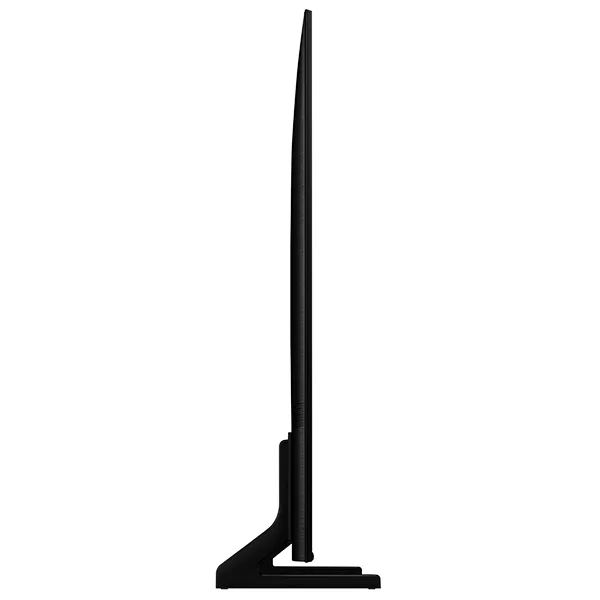
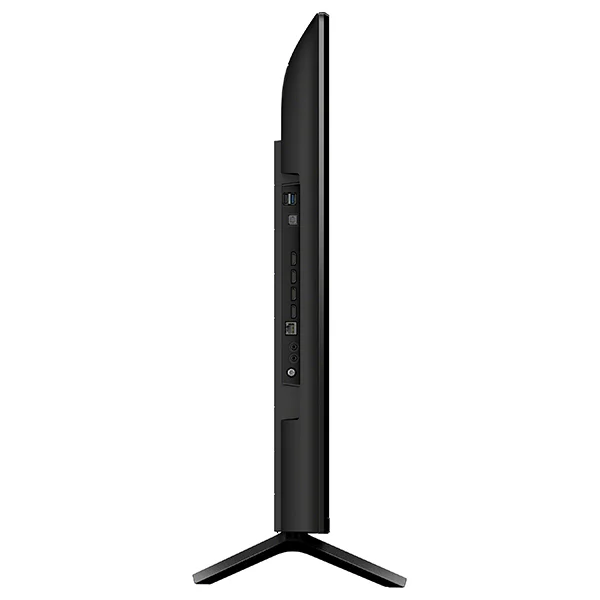
As TV designs have become fairly streamlined over the years, there's not a ton to say about the physical features of both the Samsung Q60D and the Sony Bravia 3. However, there are small differences we'll get to, so our comparison can be as in-depth as possible. Almost every TV you'll buy has bezels, or borders that frame the sides of the display. The Sony Bravia 3 utilizes a Flush Surface design, which minimizes the size of the bezels so you get more screen and ultimately, more content for the eyes to feast on. While you'll notice that the Samsung Q60D's AirSlim design is fairly thinner than its "opponent", the Sony Bravia 3 is not bulky by any means. The depth of the Samsung Q60D measures about one inch, while the Sony Bravia 3 measures 2.88 inches. Another aspect of TV design is screen size. Both of these TVs come in several sizes, though Samsung offers more variety. Here are the available sizes:
Samsung Q60D: 32 inches, 43 inches, 50 inches, 55 inches, 65 inches, 70 inches, 75 inches & 85 inches
Sony Bravia 3: 43 inches, 50 inches, 55 inches, 65 inches, 75 inches & 85 inches
Sony Bravia 3 vs. Samsung Q60D: Which Is Right For You?
Ultimately, the Sony Bravia 3 and the Samsung Q60D are extremely similar. Both their display quality and audio quality are fairly the same. Most of the extra technology packed into these TVs is the same as well. To make our length comparison as short and sweet as possible, here are the benefits each TV has to offer that the other model does not:
Sony Bravia 3: The SONY PICTURES CORE app, Kids Profiles, the Eco Dashboard and more gaming features
Samsung Q60D: More free channels, Multi View, more video game streaming variety, a thinner design and more size options
Film lovers and PlayStation® enthusiasts may get more enjoyment from the Sony Bravia 3. But an everyday watcher/streamer could invest in either the Bravia 3 or the Samsung Q60D and enjoy nearly the same TV performance. No matter what you invest in, you're guaranteed to get a top-notch entertainment experience. For more information to help you pick a screen, check out Abt's TV buying guide. All other questions about these Sony and Samsung devices can be directed to our specialists at 800-860-3577.
Sony vs. Samsung TV FAQs
-
Yes; the Sony BRAVIA 3 is a good entry-level TV, with Sony's reputation for great picture processing making it better than other affordable TVs.
-
Yes; the BRAVIA 3 has one USB 3.0 port.
-
As with most TVs, it depends. The BRAVIA 3 is a solid entry-level TV with surprisingly good image processing, but if you want the best picture possible, you may want to consider a Sony OLED model instead.
-
The Q60D is a good TV, especially for an entry-level QLED model. It has 4K upscaling and true-to-life color along with convenient smart connectivity, all in a large range of screen sizes.
-
Yes, the Samsung Q60D has Apple AirPlay.
-
No, the Samsung Q60D doesn't have Dolby Atmos.


