


Tips from James & Gary: What Is Apple CarPlay?
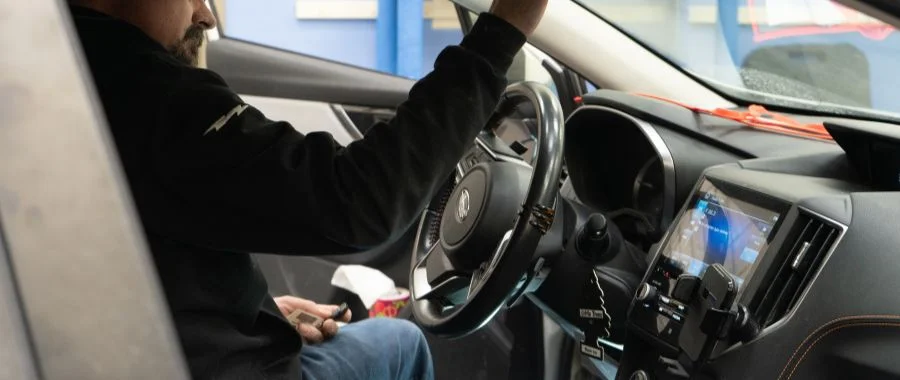

Cars have been around for decades, and get more technologically advanced each year. Back-up cameras, blind-spot detection and heated seats, just to name a few, instantly became popular among many drivers. Today, these features are found in many new releases. Another fan favorite is Apple CarPlay. Though found in many newer models, it's easy to add this feature to almost any vehicle. But exactly what is Apple CarPlay, and how does it work? Continue reading to learn just what this car feature has to offer, along with helpful tips from our in-house mobile experts James Senne and Gary Allen.
How Does Apple CarPlay Work?
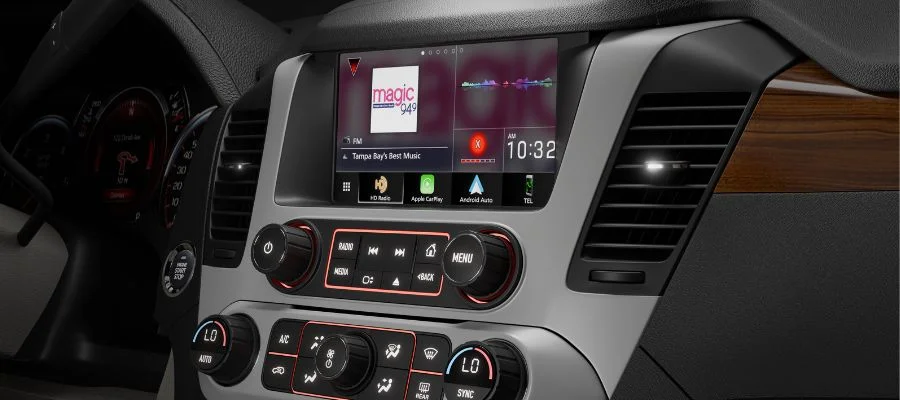
To put it simply, CarPlay is software by Apple that functions like your iPhone. This means a built-in display is required for it to work. However, its purpose is to provide a connected, hands-free experience, which is where Siri voice control comes in. Start with "Hey Siri" before asking for what you want. This functionality lets you explore a variety of apps just by using your voice. For example, if you forgot to pull up directions before leaving the house, ask Siri for directions. Even if you're heading to a new place, CarPlay removes the need for manual searching. If an address has been sent via text or email, or is saved in your calendar, CarPlay will automatically predict where you're going and pull up the directions for you.
CarPlay also lets you respond to texts without ever glancing at a screen. When a message comes through, Siri reads it aloud before giving you the option to respond. Should you choose to reply, Siri will read the message back to you before sending. Calls function the same as your iPhone, with the caller ID appearing on the display. The enlarged screen helps you answer, decline and end calls without taking your eyes off the road. To make calls, just ask Siri. This way, you don't have to reach for your phone to let loved ones know your ETA. Another perk is that CarPlay offers both wired and wireless connections. The wireless option is great for those who like to keep their phone in their purse or bag, as you connect via Bluetooth.
The Benefits of Apple CarPlay
The main perk of Apple CarPlay is that it provides a hands-free operating experience. Instead of reaching for your iPhone or glancing down at directions, the unified interface encourages you to keep your eyes on the road and use your voice instead. Whether you want to stream music, pull up directions or answer a text, CarPlay lets you do it all touch-free. In terms of navigation, you aren't restricted to Apple Maps. Multiple third-party apps are supported, including Waze and TomTom. And this extends to other applications, such as those designed for audiobooks, quick food ordering, fueling and EV charging. However, please note that Siri might not be able to interact with all of the apps.
What About Non-iPhone Users?
Have an Android phone instead of an iPhone? Then Android Auto is the upgrade for you. This interface is the Google equivalent of Apple CarPlay, giving Android users the same hands-free driving experience. As you drive, speak out commands, and Gemini will respond. Similar to Apple CarPlay, reply to messages, answer calls and access addresses within your contacts or email. Craving sushi during a road trip? Ask Gemini for directions to nearby sushi restaurants that aren't much of a detour, keeping you on time and happily fed.
Schedule Your Apple CarPlay Installation Today
Looking to add this feature to your vehicle? Visit our mobile installation services page, fill out the form and our experts will get back to you as soon as possible. If you still have questions about this Apple software, give our team a call at 800-860-3577 and they'll be happy to assist you. Learn more from our service departments with our post on HVAC installation, complete with tips from our in-house specialist Dan Raysby.
Let us assist you
Contact Us
Apple CarPlay FAQs
-
Apple CarPlay is a software that mirrors iPhone use in a driver-friendly way, allowing drivers to remain connected without taking their eyes off the road.
-
To use Apple CarPlay, simply connect your iPhone using Bluetooth or a USB-C cable.
-
Android Auto is the Google equivalent of Apple CarPlay, giving Android users a connected, hands-free driving experience.


