


Tips from Jesse: Get Your Laptop Ready for Back to School
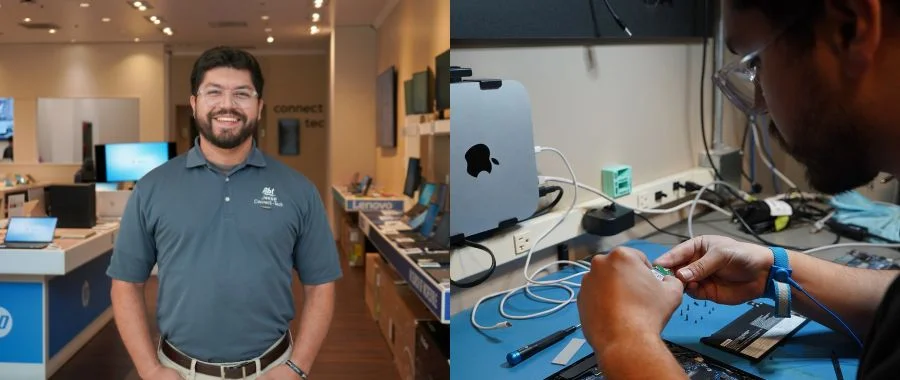

Back to School-Ready Setup
If you have a brand new laptop, you want to be sure it's ready for taking notes, writing papers, editing videos or whatever else your schoolwork requires. If this is your first time purchasing a laptop, it's especially important to set it up properly. Or maybe you're upgrading a laptop between high school and college, investing in an option with more memory or better processors to match the bigger workload. That's where the Connect Tech team can assist.
Your One-Stop-Shop to Buy and Maintain Your Laptop
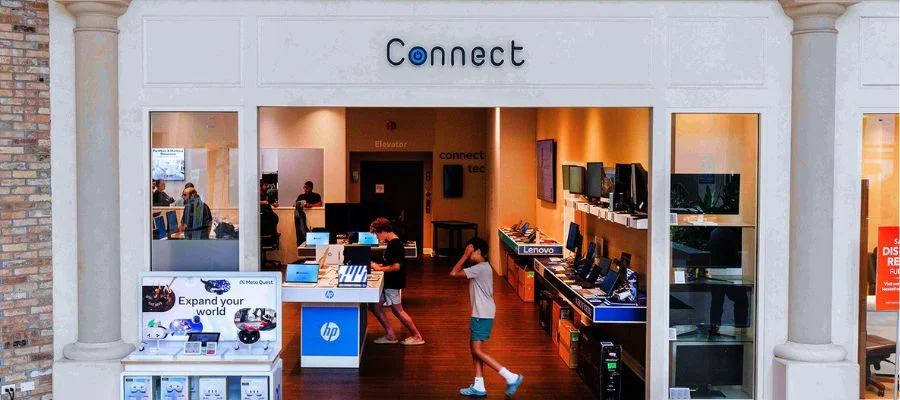
Abt is one of the few places where you can buy a laptop and have that same laptop serviced by in-house, authorized service providers. You can buy a new MacBook at the Apple Store inside our atrium, and the Connect store is mere steps away. In addition to the Connect Tech service desk, the Connect Store is where you can shop laptops from other brands and browse accessories to upgrade your setup. The Connect Tech team also services iPhones, so you can ensure all your devices are working properly before you go back to campus.
Jesse's Tips to Extend the Life of Your Laptop
If you already have a laptop you love, there are several ways you can maximize the life of the battery and boost performance when you're doing more demanding tasks.
2. Perform regular shutdowns.
3. Disable unnecessary startup apps.
4. Keep the laptop on a flat surface to prevent overheating.
5. Enable "Best Performance" in power settings on Windows machines.
6. Perform all necessary updates.
Help for Laptops, iPhones and More
Abt is here to help ensure you or your child are ready to go back to school. Jesse and the entire Connect Tech team offer the same friendly expertise Abt is known for, from screen repairs to battery replacement and more. We're also an Apple Authorized Service Provider, meaning Apple recognizes us as a trusted partner to repair their products. We use genuine parts from the manufacturer and stand behind all our repairs, offering the level of service you've come to expect from Abt. So whether you're a student or your school days are long behind you, Abt's Connect Tech PC and Mac repair team can help ensure your devices work their best. Need service or a repair? Fill out the simple form below or call us at 847-544-2255. And if you need help with other products you've bought from Abt, we have a whole series of expert tips from all of our departments.
Request PC or Mac Service
Contact Us
Back-To-School Laptop Repair FAQs
-
Abt services both Apple and Windows computers, with brands including Apple, Microsoft and HP.
-
Jesse, our Connect Tech Manager, suggests making sure your laptop's software is updated before the school year. You should also back up your data.
-
While we do accept walk-ins depending on the repair, we recommend scheduling an appointment to ensure there's adequate time to service your laptop.


